 FOR TECHNICIANS ONLY
100% TESTED
FOR TECHNICIANS ONLY
100% TESTED
Overview
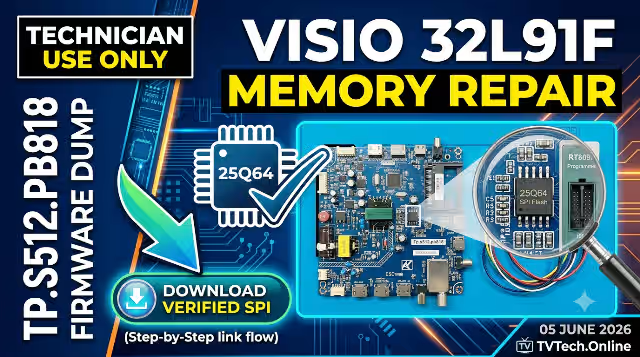
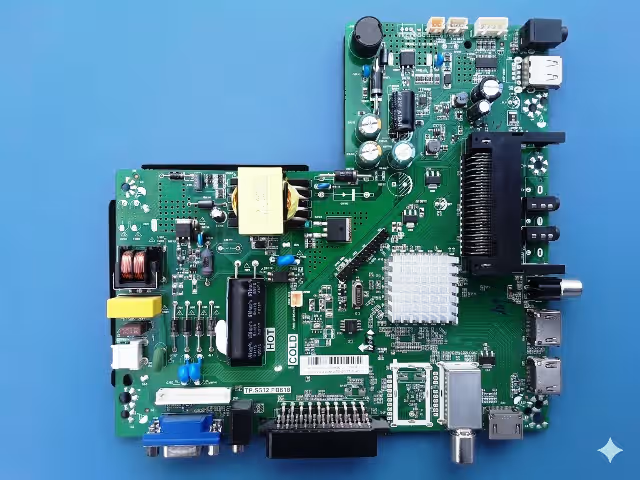
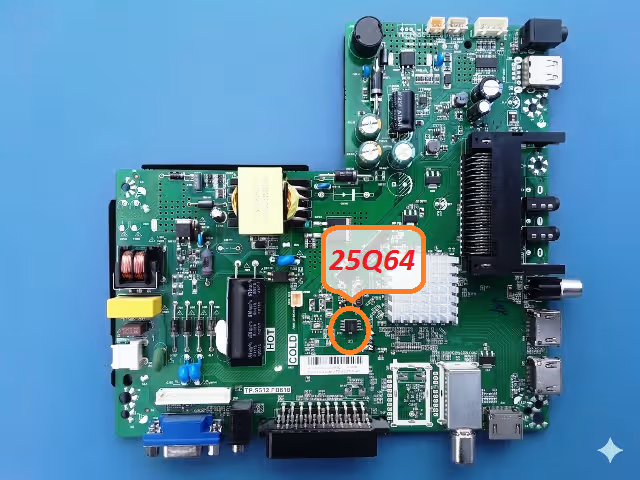
This firmware resource provides the complete SPI memory dump for the Tp.s512.pb818 main board used in the Visio 32L91F television. The dump file targets the 25Q64 SPI flash memory chip and has been read, verified, and tested at 100% functionality using the RT809H universal programmer.
If your Visio 32L91F is experiencing memory-related failures such as a dead unit, boot loops, stuck logo, or corrupted channel data, this dump file is engineered to restore full factory operation. Matched specifically to the V320BJ6-Q01 REV.C1 panel, this firmware ensures correct timing, backlight control, and signal processing parameters.
| Brand | Visio |
| Model | 32L91F |
| Main Board | Tp.s512.pb818 |
| Panel | V320BJ6-Q01 REV.C1 |
| SPI Flash Memory | 25Q64 (64Mbit / 8MB) |
| Programmer | RT809H Universal Programmer |
| File Type | BIN (Full SPI Dump) |
| Firmware Status | Tested & Working 100% |
| Date Updated | June 5, 2026 |
Known Issues Resolved by This Firmware
The following symptoms on the Visio 32L91F with Tp.s512.pb818 main board are directly caused by SPI memory corruption and are resolved by flashing this dump file:
Diagnostic & Repair Protocol
Pre-Repair Diagnostic Checklist
- Visual board inspection: Check for burnt components, swollen capacitors, cracked solder joints, or physical damage on the Tp.s512.pb818 main board.
- Power supply verification: Confirm that all voltage rails (5V, 12V, 3.3V, 1.8V) from the power supply board are within specification before suspecting SPI memory failure.
- Backlight test: Verify backlight strips and driver circuit are functional. A backlight fault can mimic SPI corruption symptoms.
- SPI chip physical check: Inspect the 25Q64 chip for cold solder joints, pin corrosion, or lifted pads.
Firmware Flashing Procedure
Post-Flash Verification Checklist
- TV powers on with standby LED and boots without logo freeze
- OSD menu displays correctly with full navigation
- All input sources (HDMI, AV, USB, Antenna) are detected
- Audio output is functional on all sources
- Channel scan and storage work correctly
- Remote control is fully responsive
- Settings are retained after power cycle
Video Tutorial
Watch the complete firmware flashing walkthrough for the Tp.s512.pb818 main board using the RT809H programmer:
Download Firmware Dump
Tp.s512.pb818 — Visio 32L91F — SPI 25Q64 — BIN File (8MB)
Click once to continue, then click again to get the direct download link.