 Technician Only
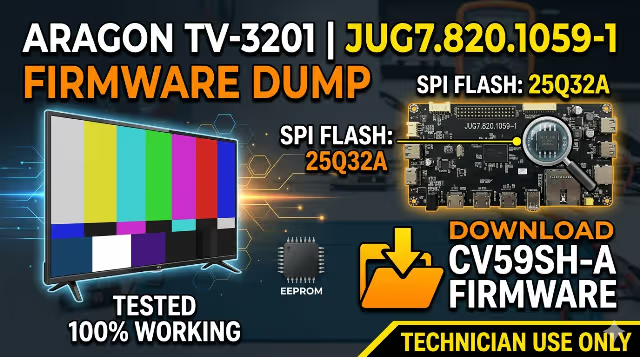
CV59SH-A Firmware Dump for Aragon TV-3201
JUG7.820.1059-1 • 25Q32A • Tested ✔Overview
The CV59SH-A firmware dump is shared exclusively for repairing the Aragon TV-3201 LED TV. If your Aragon TV-3201 does not turn on, remains stuck in standby mode, or exhibits other memory-related malfunctions, this software update is the correct solution for your television. This file has been extracted directly from a known-working unit and is tested 100% working.
Hardware Specifications
| TV Model | Aragon TV-3201 |
|---|---|
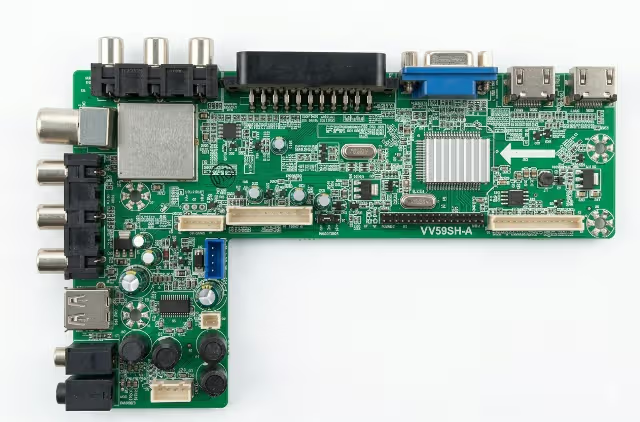
| Main Board | CV59SH-A (JUG7.820.1059-1) |
| LCD Panel | T320FBE1-DB |
| Screen Size | 32 Inch LED |
| SPI Flash IC | 25Q32A (32 Mbit / 4 MB) |
| Programmer | RT809H |
| Firmware Status | ✔ Tested 100% Working |
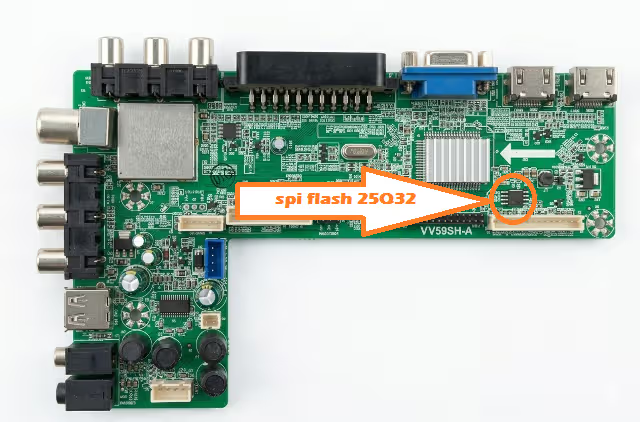
SPI Flash IC Location
The 25Q32A SPI flash memory is located on the CV59SH-A main board near the main processor. Refer to the image below to identify the exact position before desoldering or attaching your SOP8 clip for in-circuit programming.
Common Issues This Firmware Fixes
The following symptoms on the Aragon TV-3201 indicate corrupted or damaged SPI flash memory requiring a firmware dump re-flash:
- TV stuck in standby – power LED on but screen does not activate
- No power on – TV completely unresponsive to power button or remote
- Black screen with backlight – backlight turns on but no picture or OSD
- Stuck on boot logo – TV freezes at startup logo and does not proceed
- EEPROM / SPI flash data corruption after power surge or lightning
- No audio output – sound circuit not initializing due to firmware fault
- Remote control unresponsive – IR commands not processed by main IC
- Auto-restart loop – TV repeatedly turns on and off in a cycle
Diagnostic & Repair Protocol
Follow these steps precisely using the RT809H universal programmer to flash the CV59SH-A firmware dump onto the 25Q32A SPI flash IC:
- Power Off & Disassemble: Disconnect the TV from mains power completely. Remove the rear panel screws and carefully detach the back cover to access the CV59SH-A main board.
- Locate the SPI Flash IC: Identify the 25Q32A chip on the main board. It is an 8-pin SOP8 package typically situated near the main processor. Refer to the SPI flash location image above.
- Desolder or Attach Clip: Either desolder the 25Q32A using a hot air rework station at 320–350°C, or use an SOP8 test clip for in-circuit programming without removal.
- Connect to RT809H Programmer: Insert the chip into the RT809H ZIF socket or connect via clip cable. Launch the RT809H software on your computer and select W25Q32 as the target chip.
- Backup Original Firmware: Click Read to extract the current (corrupted) firmware. Save this backup file to your computer before making any changes.
- Erase the Chip: Click Erase to perform a full chip erase, clearing all corrupted data from the 25Q32A memory.
- Load & Write New Firmware: Click Open File and load the downloaded CV59SH-A firmware dump. Click Write to flash the firmware onto the SPI memory.
- Verify Data Integrity: Click Verify to compare the written data against the source file. Ensure the verification completes with zero errors.
- Reassemble & Test: Resolder the chip if it was removed. Reassemble the TV, reconnect to power, and perform a full function test including picture, sound, tuner, HDMI, USB, and remote control.
Download CV59SH-A Firmware Dump
CV59SH-A – Aragon TV-3201 Firmware
Main Board: JUG7.820.1059-1 • SPI: 25Q32A • Programmer: RT809H
Click once to continue, then click again to download the file.
Video Guide – CV59SH-A Firmware Flashing
Watch the step-by-step video tutorial demonstrating the complete firmware flashing procedure for the CV59SH-A main board using the RT809H programmer:
Important Notes for Technicians
This firmware is specifically configured for the Aragon TV-3201 with LCD panel T320FBE1-DB. Using this dump on a different panel model may result in incorrect display timings, inverted colors, or no picture output. Always verify your panel model matches before flashing.
If the TV powers on but displays incorrect colors or resolution after flashing, the panel configuration data within the firmware may need adjustment for your specific panel revision. In such cases, consult the panel datasheet for the correct LVDS mapping and timing parameters.
For additional TV firmware dumps, repair guides, and main board software files, explore the related resources linked below.