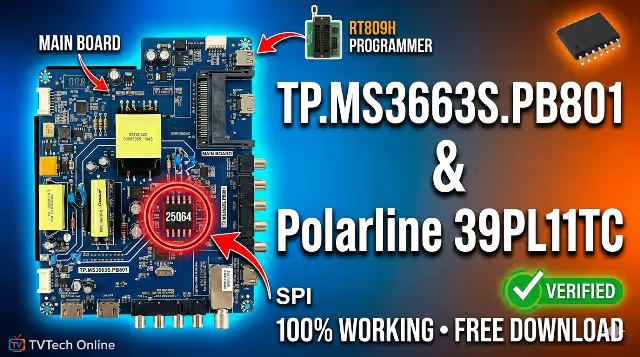
TP.MS3663S.PB801 Firmware Dump
Polarline 39PL11TC – Free Download
Free download of the TP.MS3663S.PB801 firmware memory dump for the Polarline 39PL11TC TV. SPI 25Q64 flash repair via RT809H programmer. Tested 100% working.
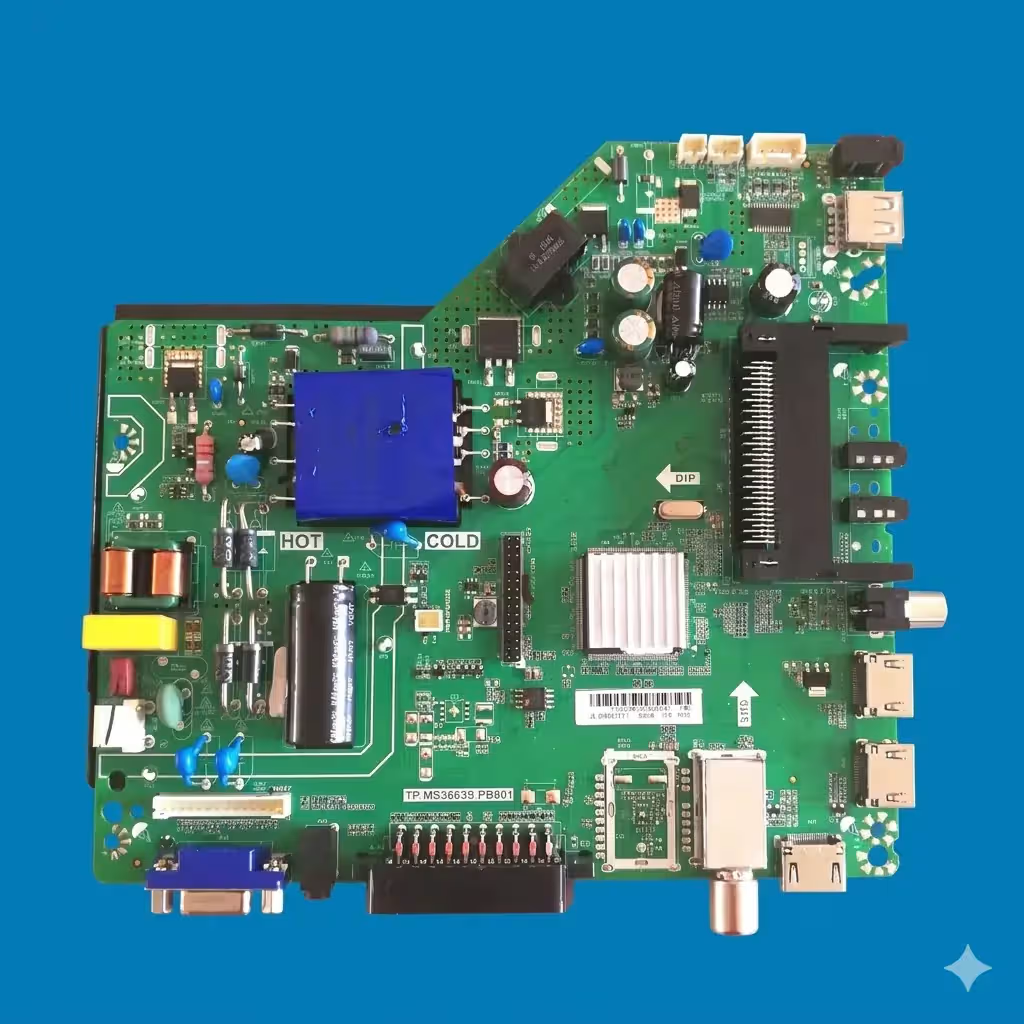
Main Board Identification
Below is the TP.MS3663S.PB801 main board installed in the Polarline 39PL11TC television. Confirm your board model number matches exactly before proceeding with the firmware flash to prevent permanent hardware damage.
Firmware Specifications
| Main Board | TP.MS3663S.PB801 |
|---|---|
| TV Model | Polarline 39PL11TC |
| Screen Size | 39″ (HD / Full HD) |
| SPI Flash Memory | 25Q64 (64 Mbit / 8 MB) |
| Programmer | RT809H Universal Programmer |
| Dump Type | Full SPI Memory Dump (.bin) |
| File Size | 8 MB (8,388,608 bytes) |
| Status | Tested & 100% Working |
SPI Flash Chip Location
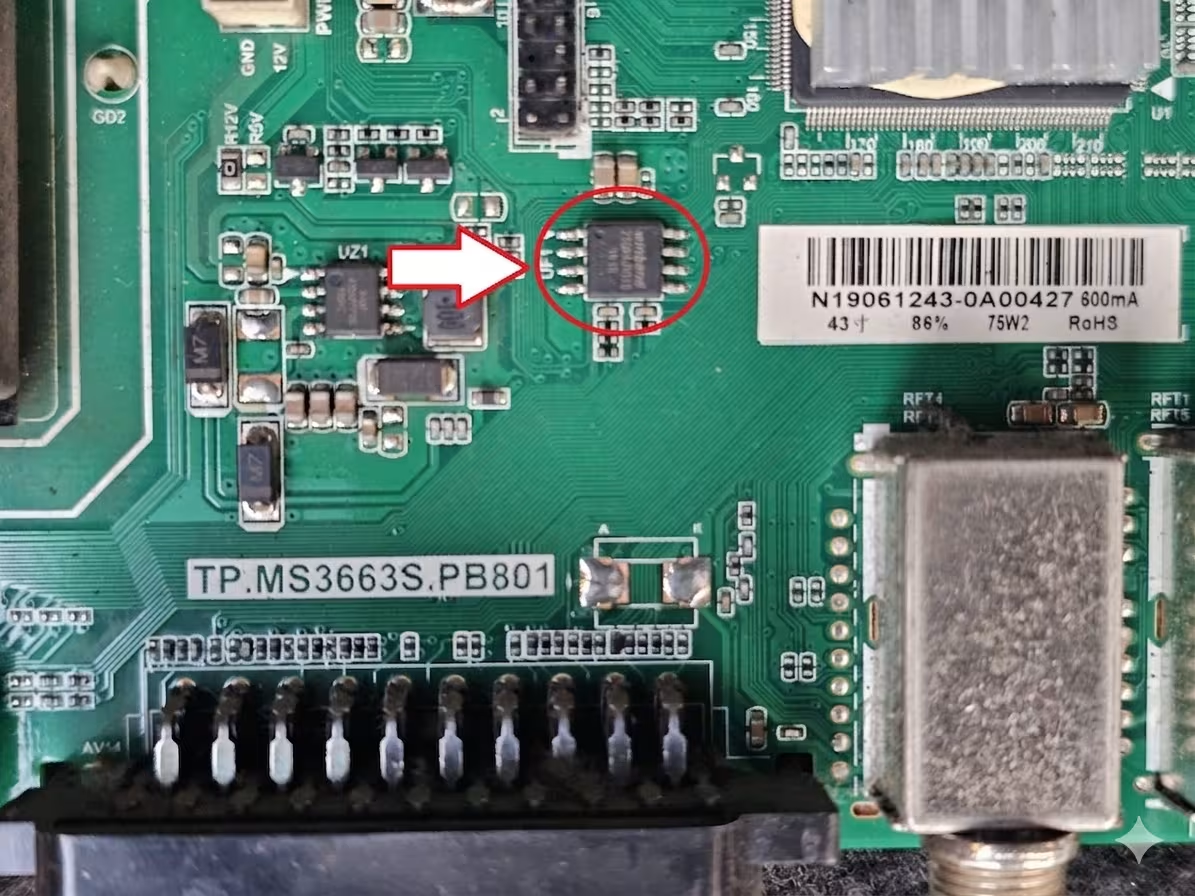
Locate the 25Q64 SPI flash memory chip on the TP.MS3663S.PB801 board. This is the target chip you will read from and write to using the RT809H programmer. The image below highlights the exact chip position on the PCB.
Known Issues – Polarline 39PL11TC
The following symptoms are commonly reported with the Polarline 39PL11TC using the TP.MS3663S.PB801 main board. This firmware dump resolves most of these failures when the root cause is corrupted SPI flash data.
- Dead TV / No Power Response: Standby LED does not illuminate; TV appears completely unresponsive despite confirmed power supply output.
- Boot Loop / Stuck on Logo: TV powers on but cycles continuously on the Polarline splash screen, never reaching the home menu.
- No Picture – Sound Only: Audio outputs correctly but the display remains black; backlight is functional.
- No Sound – Picture Only: Display works normally but no audio output from internal speakers or headphone jack.
- HDMI / AV Ports Not Detected: External source inputs fail to register connected devices.
- Frozen Menu / Unresponsive Remote: On-screen menu freezes or remote control commands are not processed.
- Automatic Restart / Random Shutdown: TV turns off unexpectedly or reboots at irregular intervals.
- Distorted Image / Artifacts: Vertical or horizontal lines, color distortion, or scrambled picture during operation.
- Software Corruption After Power Surge: Firmware data became corrupted following a voltage spike or unstable power event.
- Failed OTA or USB Update: A previous over-the-air or USB firmware update did not complete successfully, leaving the system inoperable.
Diagnostic & Repair Protocol
Step-by-Step Firmware Flashing Procedure
- Power Off & Disconnect: Unplug the TV from mains power. Discharge residual voltage by holding the power button for 10 seconds.
- Disassemble & Access PCB: Remove the rear panel screws and carefully separate the back cover. Locate the TP.MS3663S.PB801 main board.
- Identify SPI Flash Chip: Find the 25Q64 SPI flash chip on the board (refer to the image above). Note pin 1 orientation marked by a dot on the chip.
- Connect RT809H Programmer: Attach the SOP8 test clip or desolder the chip. Connect to the RT809H programmer ensuring correct pin alignment.
- Backup Original Firmware: Before writing, always read and save the current flash content as a backup file (.bin).
- Select Correct Chip Model: In the RT809H software, select manufacturer Winbond → chip model W25Q64 (or equivalent 25Q64 variant detected).
- Erase Flash Memory: Perform a full chip erase to clear all existing corrupted data.
- Write Firmware Dump: Load the downloaded firmware .bin file and write it to the 25Q64 chip. Wait for the process to complete without interruption.
- Verify Write Integrity: Use the verify function to compare the written data against the source file. Ensure 100% match with zero errors.
- Reinstall & Test: Resolder the chip (if removed) or disconnect the test clip. Reassemble the TV and power on. The TV should boot normally to the home screen.
- Post-Flash Configuration: After successful boot, perform a factory reset from the service menu to initialize all settings. Re-scan channels and configure input sources as needed.
Video Tutorial
Watch the detailed video guide below demonstrating the firmware flashing process using the RT809H programmer on similar TP.MS3663S boards.
Download Firmware
File: TP.MS3663S.PB801_Polarline_39PL11TC_25Q64.bin
Size: 8 MB | Format: .bin | SPI: 25Q64
Frequently Asked Questions
What SPI flash chip does the TP.MS3663S.PB801 use?
The TP.MS3663S.PB801 main board uses a 25Q64 (64 Mbit / 8 MB) SPI NOR flash memory chip, typically manufactured by Winbond (W25Q64). This chip stores all firmware, bootloader, and channel data for the TV.
Which programmer is recommended for flashing?
The RT809H universal programmer is the recommended tool. It supports the 25Q64 chip natively and provides reliable read, write, erase, and verify functions. You can use either a SOP8 test clip for in-circuit programming or desolder the chip for off-board flashing.
Is this firmware tested and working?
Yes. This firmware dump has been extracted from a fully functional Polarline 39PL11TC unit and has been tested 100% working. The dump was verified via checksum comparison after writing to ensure complete data integrity.
Can I use this dump on a different TV model with the same board?
This dump is specifically configured for the Polarline 39PL11TC. While the TP.MS3663S.PB801 board may appear in other TV models, using this dump on a different panel size or resolution may cause display issues. Always match both the board model and the TV model for best results.
What should I do if the TV still doesn’t work after flashing?
If the TV remains non-functional after a successful firmware flash, the issue may be hardware-related. Check the power supply board voltages, inspect the T-CON board and LVDS cable, test the backlight driver, and verify that no capacitors on the main board are bulging or shorted.