FOR TECHNICIAN USE ONLY
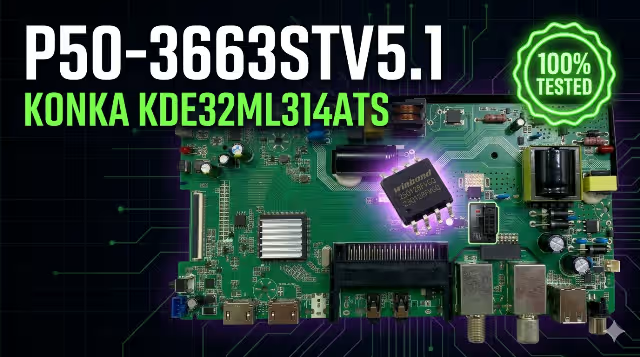
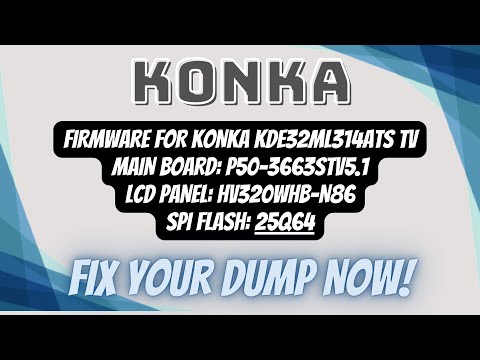
P50-3663STV5.1 Firmware Dump for KONKA KDE32ML314ATS
Firmware Specifications
| TV Model | KONKA KDE32ML314ATS |
| Main Board | P50-3663STV5.1 |
| LCD Panel | HV320WHB-N86 |
| SPI Flash | 25Q64 |
| Programmer | RT809H |
| Firmware Type | Dump (Binary) |
| Status | ✓ Tested 100% OK |
Board & SPI Reference Images
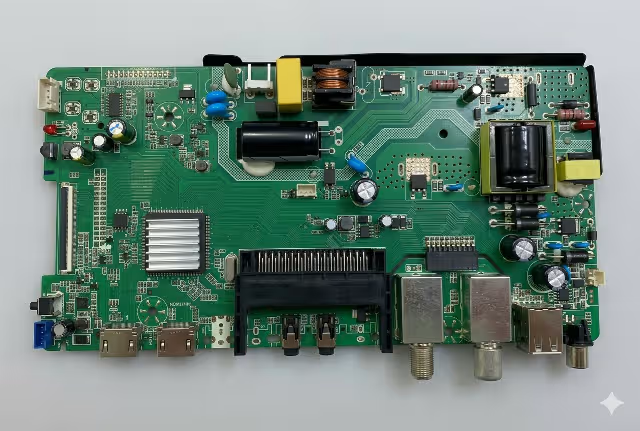 Main Board: P50-3663STV5.1
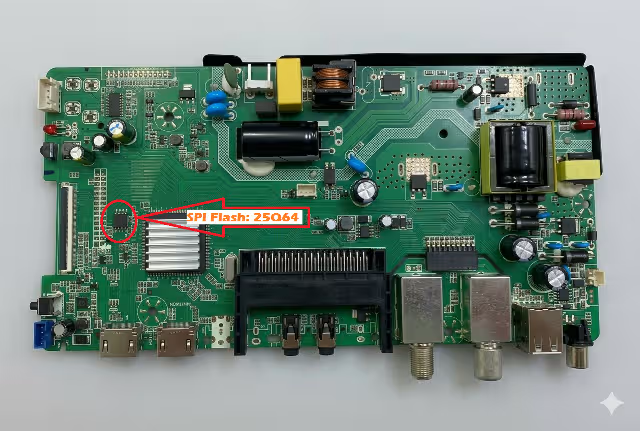 SPI Flash: 25Q64
Download tested firmware dump for KONKA KDE32ML314ATS
Click to start download — 2 steps required
Video Tutorial
Common Issues for This Model
- Stuck on logo / boot loop — firmware corruption
- No display / white screen after failed update
- Backlight ON but no picture displayed
- Dead / no power after power surge or lightning
- HDMI input not detected / no signal
- No audio / intermittent sound output
- Random restart / auto shutdown loop
- Color distortion / inverted colors / negative image
- WiFi module not responding / no network
- USB firmware update fails / not reading
Diagnostic & Repair Protocol
- Visual Inspection
Examine the P50-3663STV5.1 main board for burnt components, bulged capacitors, cold solder joints, and physical damage. Check the 25Q64 SPI Flash IC for cracks or lifted pins. - Power Supply Verification
Measure standby voltage (3.3V / 5V) at the main board connector. Verify 12V and 24V rails are present on command. Confirm stable voltage before proceeding to firmware. - Backlight Test
Use a backlight tester to verify LED strip integrity. If backlight is faulty, repair or replace LED strips before flashing firmware — a common misdiagnosis pitfall. - SPI Flash Backup (Critical)
Using RT809H programmer, always read and save the original dump first. Select chip: 25Q64. Save as backup before any write operation. This is your recovery point. - Firmware Verification
Compare the downloaded dump file size with your backup. Both should match 8MB (25Q64 = 8MB). Verify checksum if available. Do NOT flash mismatched sizes. - Firmware Write (RT809H)
Load the new P50-3663STV5.1 dump file → Select 25Q64 → Auto-detect → Erase → Write → Verify. Ensure stable USB/power connection during the entire process. - Post-Flash Verification
Reconnect the main board. Power ON — TV should display the KONKA logo within 5–15 seconds. Check for correct panel resolution (HV320WHB-N86: 1366×768). Test all inputs. - Final Testing Checklist
✓ HDMI 1/2/3 signal detection ✓ USB media playback ✓ WiFi connection ✓ Audio output (speaker + headphone) ✓ Remote control response ✓ Panel uniformity ✓ Standby / wake cycle ×3
Related Firmware Downloads
Reference & Backlinks
© 2026 TVTech.online — Professional TV Firmware Database
P50-3663STV5.1 | KONKA KDE32ML314ATS | SPI 25Q64 | RT809H
Firmware provided for repair purposes only. Use at your own risk.