

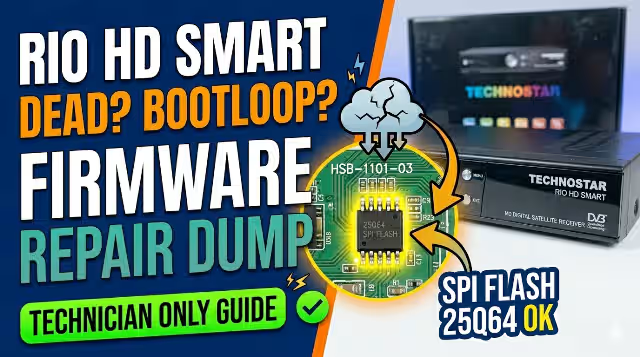
HSB-1101-03 Firmware Dump for Technostar RIO HD Smart

Free download of the HSB-1101-03 firmware dump for Technostar RIO HD Smart. This firmware update is designed to repair memory issues and restore your receiver to proper functioning. The dump has been extracted and verified using the RT809H universal programmer and is confirmed 100% working.
Firmware Specifications
| Brand | Technostar |
|---|---|
| Model | RIO HD Smart |
| Main Board | HSB-1101-03 |
| SPI Flash | 25Q64 |
| Flash Status | 100% OK |
| Programmer | RT809H |
| Firmware Status | Tested — 100% Working |
| Last Updated | 31 May 2026 |
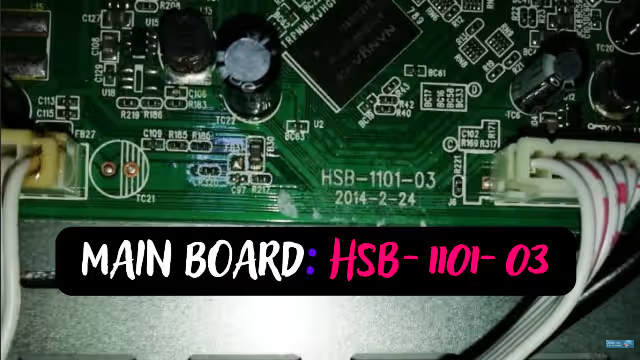
Main Board — HSB-1101-03
Below is the HSB-1101-03 main board used in the Technostar RIO HD Smart receiver. Identify the board revision before proceeding with the firmware flashing process.
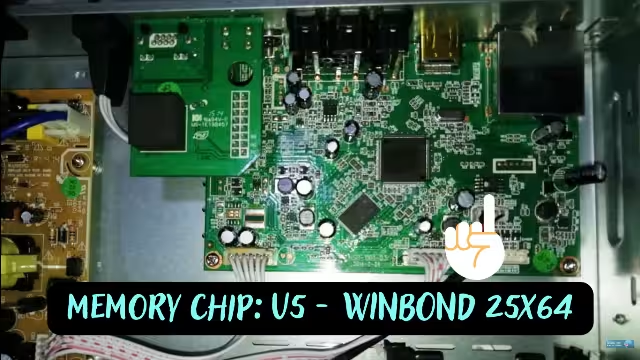
SPI Flash — 25Q64
The 25Q64 SPI flash memory chip stores the firmware data. Ensure the chip is properly seated and pins are clean before reading or writing with your RT809H programmer.
Known Issues — Technostar RIO HD Smart
The following are common problems reported with the Technostar RIO HD Smart receiver that this firmware dump is designed to resolve:
Reported Symptoms
- Receiver stuck on boot logo — does not start
- Continuous reboot loop (boot cycle)
- All channels lost — unable to scan or store channels
- Menu freezes or responds very slowly
- Black screen after power on — no display output
- Remote control unresponsive after firmware corruption
- Software update failure — bricked receiver
- No signal error on all transponders
- Factory reset does not resolve the issue
- SPI flash memory data corruption
Diagnostic & Repair Protocol
Follow this systematic diagnostic and repair procedure to restore the Technostar RIO HD Smart receiver using the HSB-1101-03 firmware dump:
Pre-Repair Checklist
- Verify the main board is HSB-1101-03 — check the PCB silk print
- Confirm the SPI flash chip is 25Q64 (8MB)
- Ensure your RT809H programmer is updated to the latest software
- Inspect the board for any physical damage — burnt components or broken traces
- Check the power supply output voltages before connecting
Firmware Flashing Procedure
- Desolder the 25Q64 SPI flash from the HSB-1101-03 main board using a hot air rework station at 320–350°C.
- Place the chip into the RT809H programmer socket adapter (SOP8 to DIP8).
- Open RT809H software and select chip model: W25Q64 from the SPI flash library.
- Erase the chip completely — perform a full chip erase before writing.
- Load the firmware dump file downloaded from this page into the programmer software.
- Write the firmware to the 25Q64 chip and wait for the process to complete.
- Verify the written data — use the Compare/Verify function to ensure integrity.
- Resolder the chip back onto the HSB-1101-03 main board carefully.
- Reassemble the receiver and power on to test functionality.
- Perform initial setup — scan channels and configure satellite settings.
Video Tutorial
Watch the step-by-step video guide for flashing firmware on satellite receivers using the RT809H programmer:
Download Firmware Dump
File: HSB-1101-03 Firmware Dump — Technostar RIO HD Smart
Flash: 25Q64 | Size: 8MB | Status: 100% Tested
Click the button to begin the download process.


