

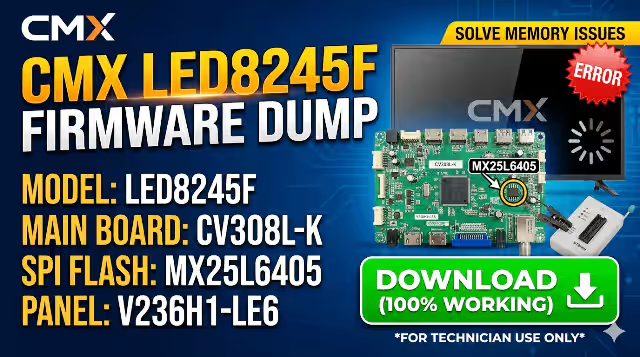
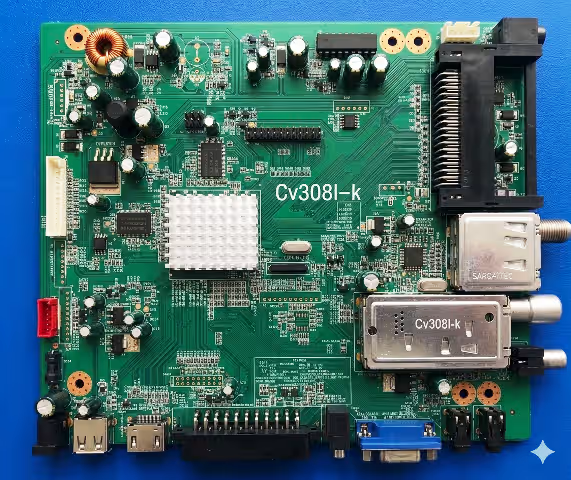
 SPI DUMP
Tested 100%
SPI DUMP
Tested 100%
CV308L-K Firmware Dump – CMX LED8245F TV Memory Repair
MX25L6405 SPI Flash | RT809H Programmer | Free DownloadCV308L-K Firmware Dump Overview
This CV308L-K firmware dump is specifically built for the CMX LED8245F LED television. If your TV is stuck on the logo screen, caught in a reboot loop, or shows a black screen with backlight, a corrupted SPI memory is most likely the root cause. This dump file targets the MX25L6405 SPI flash memory chip and restores full factory operation when programmed via the RT809H universal programmer.
This firmware has been extracted, verified, and tested 100% working on actual hardware. It is intended exclusively for qualified TV repair technicians who understand SPI flash programming procedures.
| Brand | CMX |
| Model | LED8245F |
| Main Board | CV308L-K |
| Panel | V236H1-LE6 |
| SPI Flash IC | MX25L6405 (8MB) |
| Programmer | RT809H |
| File Type | SPI Full Dump (.bin) |
| Status | Tested & Working |
SPI Flash Memory Location
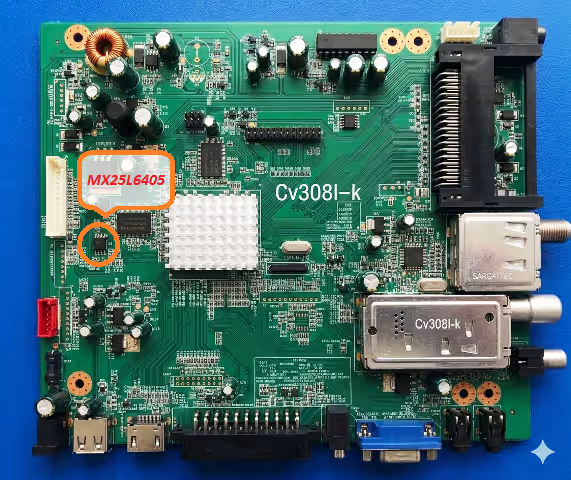
The MX25L6405 SPI flash chip is located on the CV308L-K main board as shown below. Use an SOP8 test clip or desolder the chip for programming with your RT809H device.
Known Issues Fixed by This Firmware
The following symptoms on the CMX LED8245F (CV308L-K) indicate SPI memory corruption that this dump resolves:
- TV stuck on the CMX logo screen and does not proceed to boot
- Continuous reboot loop – TV powers on and restarts repeatedly
- Black screen with backlight ON but no picture or OSD
- No signal displayed on all input sources (HDMI, AV, USB)
- OSD menu appears corrupted, garbled text or missing options
- Audio output present but no video on screen
- TV does not respond to remote control commands after power on
- EEPROM or NAND data corruption causing random shutdowns
- Firmware update failure leaving the TV in a bricked state
- Standby LED blinks but TV fails to start
Diagnostic and Repair Protocol
Pre-Programming Diagnostics
Before writing the firmware dump, perform the following diagnostic checks to confirm the issue is memory-related and not a hardware failure:
- Verify the power supply board outputs correct voltages: 5V standby, 12V main, and 24V for the backlight driver. Use a multimeter on all output pins.
- Check the main board for visible damage including swollen capacitors, burnt resistors, or cold solder joints near the SPI flash region.
- Confirm the backlight LEDs function by briefly powering the panel. If backlight is dead, address the LED driver or LED strips first.
- Inspect the LVDS cable connection between the main board and the V236H1-LE6 panel for loose pins or oxidation.
- Attempt a factory reset via the service menu (if accessible). If the TV cannot reach the OSD, proceed to SPI programming.
SPI Flash Programming Procedure
- Disconnect AC power completely and discharge residual energy by holding the power button for 10 seconds.
- Locate the MX25L6405 SPI flash chip on the CV308L-K board. Refer to the image above for the exact position.
- Connect the RT809H programmer using an SOP8 test clip directly on the chip. Ensure pin 1 orientation matches. For best results, desolder the chip.
- Read the existing firmware before writing. Save a backup copy of the original corrupted dump for reference.
- Erase the MX25L6405 chip completely using the RT809H software erase function. Verify the chip is blank.
- Write the downloaded firmware dump file to the chip. Select MX25L6405 (8MB, SPI) in the programmer software.
- Verify the written data by using the compare/verify function in RT809H software. Ensure zero errors.
- Disconnect the programmer, resolder the chip if removed, and reassemble the TV.
- Power on the TV and allow 30-60 seconds for first boot initialization. The TV should display the CMX logo and proceed to normal operation.
- Perform initial setup: auto-scan channels, adjust picture settings, and test all input sources to confirm full functionality.
Post-Programming Verification Checklist
- All HDMI, AV, and USB ports respond correctly
- OSD menu is fully functional with no corruption
- Channel auto-scan completes successfully
- Remote control commands are responsive
- Audio output works on both speakers and headphone jack
- Power cycle test: turn off and on 5 times to confirm stability
Video Tutorial – Programming Guide
Watch the complete step-by-step firmware programming tutorial for the CV308L-K main board below:
Download CV308L-K Firmware Dump
SPI Full Dump for CMX LED8245F – MX25L6405 (8MB)
Download SPI Dump
Click once to proceed, then click again to access the download file.


