

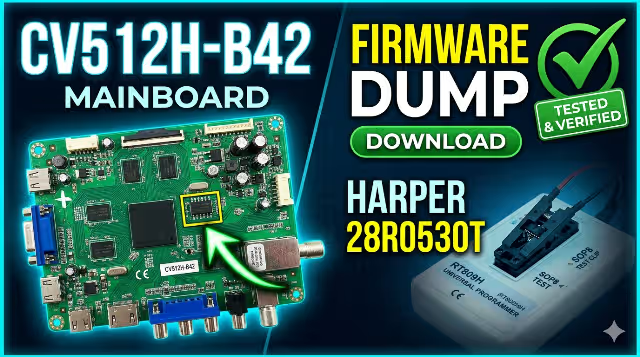
Download CV512H-B42 Firmware Dump for HARPER 28R0530T TV
Fix any issue for your device with our tested firmware dump working perfect 100% ok.
📅 April 15, 2026
•
⏱️ 5 min read
•
🏷️ TV Firmware
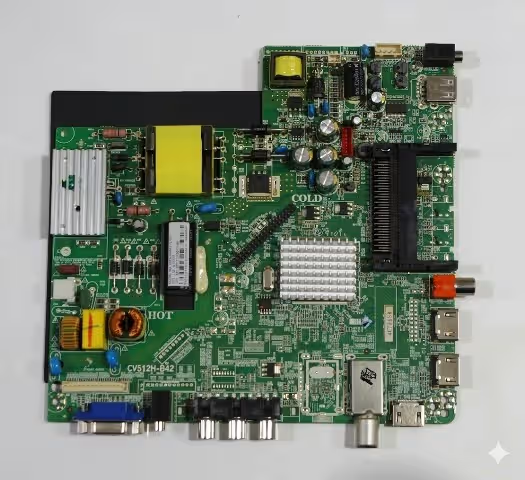
Technical Specifications
Main Board
CV512H-B42
LCD Panel
MT3151A05
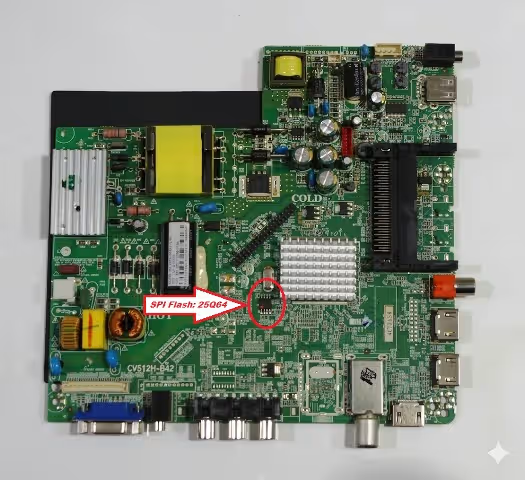
SPI Flash
25Q64
Programmer
RT809H
Download Firmware Dump
Click the button below to start the download process. This supports our site and provides you with the working firmware.
This opens an ad page to support our site. Real download starts after 7 seconds.
Preparing your download…
Download Now – CV512H-B42 Firmware Dump
✓ Firmware tested 100% working • Direct download link
Issues Fixed by This Firmware
- ✓ TV stuck on logo or boot loop
- ✓ No display or black screen issue
- ✓ Remote not responding after update
- ✓ HDMI or USB ports not working
- ✓ Sound issues or no audio output
- ✓ TV turns off automatically
- ✓ Picture distortion or color issues
How to Program with RT809H
- Prepare the hardware: Locate the 25Q64 SPI flash chip on the CV512H-B42 main board. Clean the pins with isopropyl alcohol.
- Connect the programmer: Use the RT809H programmer with SOIC8 clip or direct solder wires to the SPI chip pins.
- Read original dump (optional): Always backup your original firmware before flashing. Save it safely.
- Load the new firmware: Open RT809H software, select 25Q64 chip model, and load the downloaded firmware dump file.
- Erase and program: Click “Erase” first, then “Program” to write the new firmware. Verify after programming.
- Test the TV: Reconnect the main board to the TV panel and power on. The TV should boot normally.
Video Tutorial
Frequently Asked Questions
Yes, this firmware dump has been tested 100% working on HARPER 28R0530T TV with CV512H-B42 main board.
This firmware is specifically for CV512H-B42 main board. Using it on other boards may cause damage.
First, verify the chip was programmed correctly. Check connections and try re-flashing. If issues persist, the main board may have hardware problems.
Yes, always backup your original firmware before flashing. This allows you to restore if anything goes wrong.


