
12AT011-V2.0-A Firmware Dump – Neo 40DLD12AT011-SF SPI Flash Download
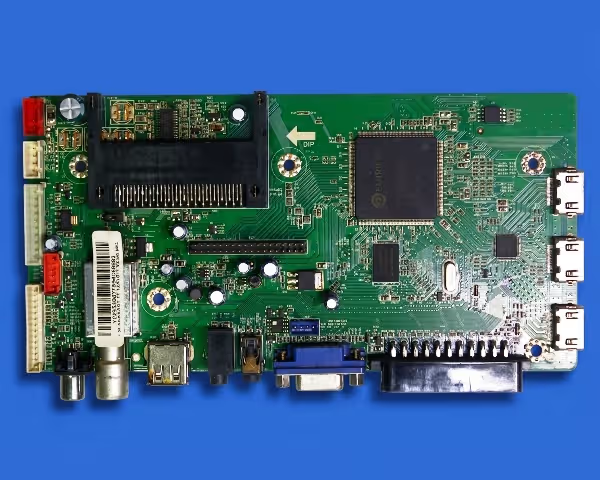 12AT011-V2.0-A
SPI Dump Ready
12AT011-V2.0-A
SPI Dump Ready
Firmware Overview
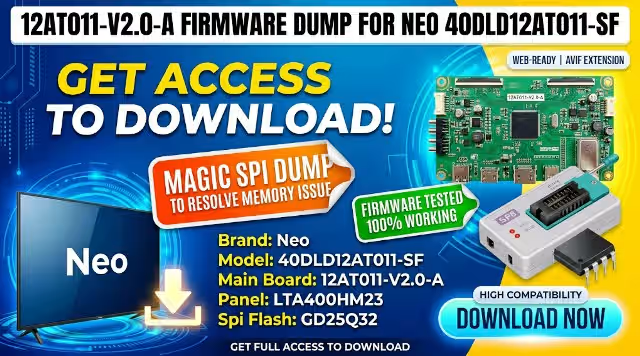
This page provides the complete SPI memory dump for the 12AT011-V2.0-A main board used in the Neo 40DLD12AT011-SF television. The firmware file targets the GD25Q32 flash IC and has been tested and verified 100% working. This resource is intended exclusively for qualified TV repair technicians performing board-level memory diagnostics and chip-level reprogramming.
Hardware Specifications
| Brand | Neo |
| Model | 40DLD12AT011-SF |
| Main Board | 12AT011-V2.0-A |
| Panel | LTA400HM23 |
| SPI Flash IC | GD25Q32 (25Q32 – 4MB) |
| Programmer | SP8-A / SP8-B Universal Programmer |
| Firmware Status | Tested 100% Working |
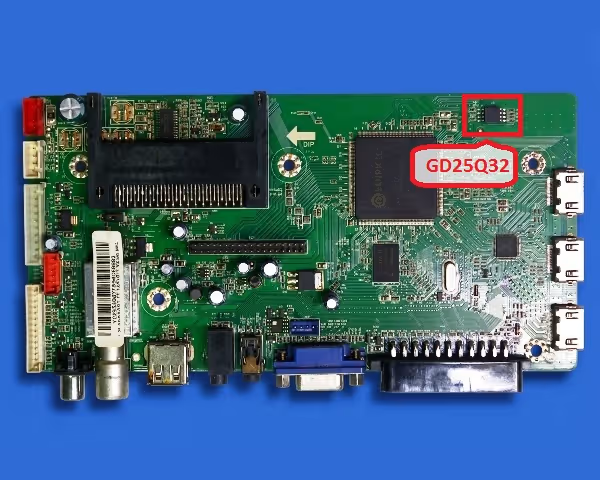
SPI Flash IC Location
The GD25Q32 (marked as 25Q32) SPI flash chip is located on the main board as indicated in the image below. Click the image to zoom and identify the exact position before desoldering.
Known Issues This Firmware Resolves
- TV stuck on logo screen – does not proceed past the Neo boot splash
- No power response – standby LED is on but TV does not turn on
- Main board dead after lightning surge or power fluctuation
- Continuous reboot loop – TV turns on and off repeatedly
- Corrupted EEPROM / SPI data causing no display output (black screen with backlight)
- Audio present but no picture – panel initialization failure from corrupted firmware
- OSD menu freezing or TV hanging during channel scan
- Software update failure that bricked the main board
- HDMI / AV / USB ports not recognized or not functioning
Diagnostic & Repair Protocol
Video Repair Guide
Watch the detailed walkthrough demonstrating the complete SPI flash programming procedure for this main board:
Download 12AT011-V2.0-A SPI Firmware Dump
File: GD25Q32 BIN • Size: 4MB • Programmer: SP8
Your download link is ready. Click below to get the file:
Get SPI Dump FileFile verified clean. No password required.
Frequently Asked Questions
What SPI chip is used on the 12AT011-V2.0-A board?
The board uses a GD25Q32 (marked 25Q32) SPI flash memory chip. It is a 32Mbit (4MB) serial NOR flash manufactured by GigaDevice. Some board revisions may use equivalent chips such as the Winbond W25Q32 — the dump is compatible with both.
Which programmer is required for flashing?
The SP8-A or SP8-B universal programmer is recommended. It supports the GD25Q32 natively. Alternatives include the TL866II Plus or CH341A, though the SP8 provides the most reliable results for this specific chip and board combination.
Is this firmware tested and working?
Yes. This firmware dump has been extracted from a known-good Neo 40DLD12AT011-SF unit with panel LTA400HM23 and verified through multiple write-read-verify cycles. It is confirmed 100% functional.
Can I use this dump with a different panel?
This dump is calibrated for the LTA400HM23 panel. Using it with a different panel may result in display issues such as incorrect resolution, inverted colors, or no picture. If your panel differs, LVDS and T-CON settings within the service menu may require adjustment after flashing.
Do I need to desolder the chip or can I flash in-circuit?
For the most reliable results, desoldering is strongly recommended. In-circuit programming (ISP) may work in some cases using a SOIC8 clip, but bus contention from other ICs on the board can cause read/write errors. Desoldering eliminates this risk.