
SKR.03 Firmware Dump for Four-Star M22 – SPI 25Q32 Free Download
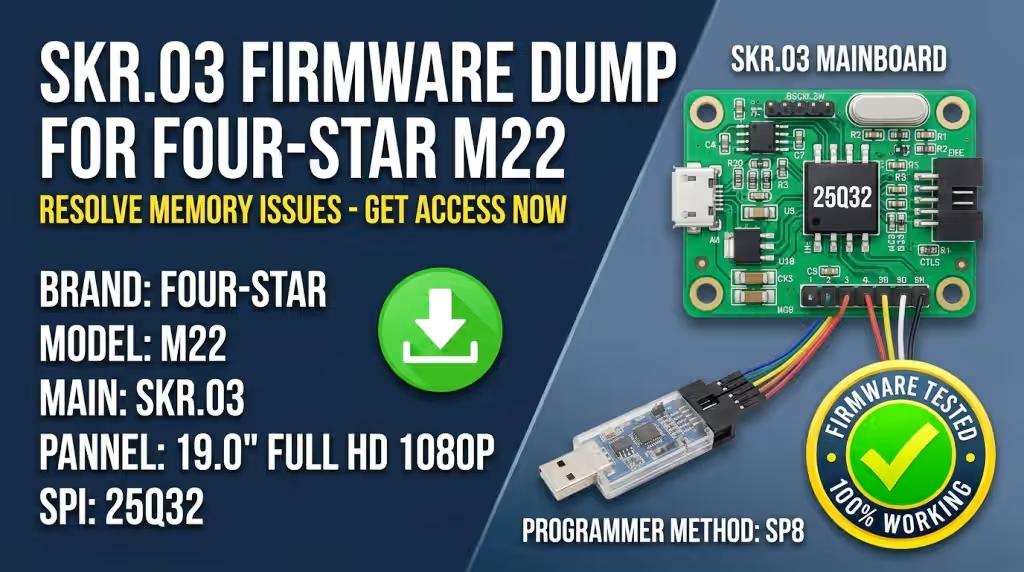
Get the tested and verified SKR.03 SPI firmware dump for the Four-Star M22 television. This magic dump resolves all memory-related boot failures, corrupted firmware, and display malfunctions on the 25Q32 SPI flash chip. Programmed and verified using the SP8 universal programmer.
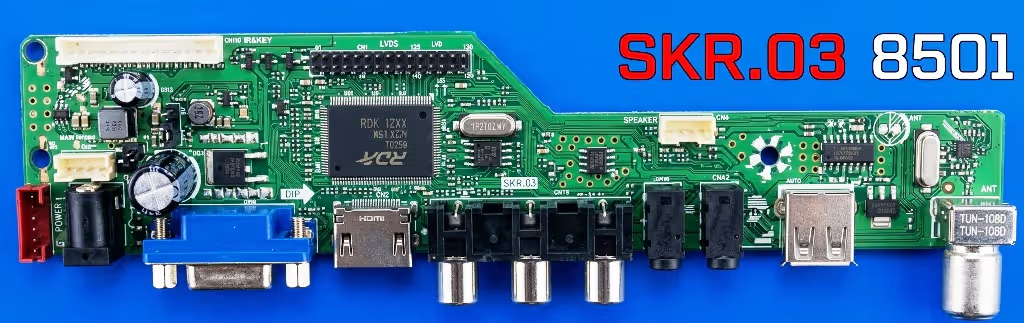
Firmware Specifications
| Brand | Four-Star |
|---|---|
| Model | M22 |
| Main Board | SKR.03 |
| Panel Size | 19.0″ Full HD 1080p |
| SPI Memory IC | 25Q32 (32Mbit / 4MB) |
| Programmer Method | SP8 Universal Programmer |
| File Type | BIN (SPI Dump) |
| Firmware Status | Tested 100% Working |
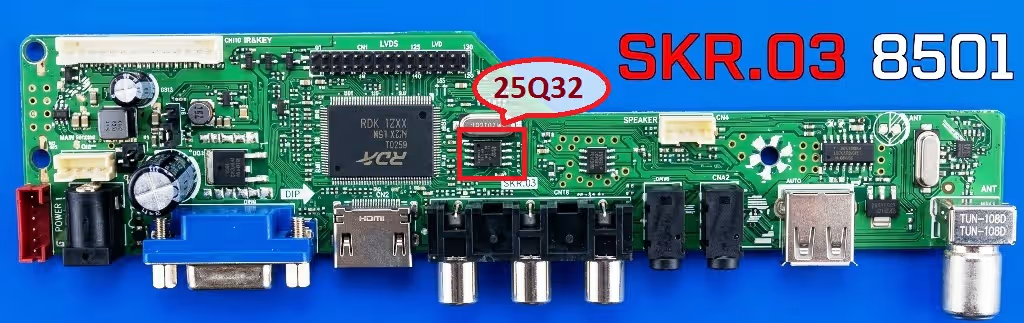
SPI Memory IC Location on Board
The 25Q32 SPI flash memory chip is located near the main processor on the SKR.03 board. Before desoldering, ensure you discharge all capacitors and disconnect the power supply. Refer to the image below for the exact chip location.
 Click to zoom
Known Issues – Four-Star M22 (SKR.03)
The following faults have been documented and confirmed to originate from corrupted or failed SPI 25Q32 memory on the SKR.03 mainboard. Reflashing with the verified dump below resolves these issues.
- TV stuck in endless boot loop – logo appears then restarts continuously
- No display output – backlight powers on but screen remains completely black
- Frozen or stuck on the Four-Star logo during startup
- HDMI and AV input ports not detected or not switching
- Audio plays normally but no picture displayed on screen
- Channel scan fails or saved channels lost after every power cycle
- Remote control unresponsive – no IR signal processing
- OSD menu corrupted, garbled text, or missing menu options
- TV powers off automatically after 2-3 seconds of startup
- Firmware update via USB fails or causes brick
- Panel displays vertical or horizontal lines due to corrupted timing data
Diagnostic and Repair Protocol
Required Tools and Equipment
Before beginning the repair, ensure you have the following tools ready: SP8 programmer, SOP8 test clip or socket adapter, soldering station (for chip removal if needed), thermal paste, antistatic wrist strap, and a computer with SP8 programming software installed.
Step-by-Step Flashing Procedure
- Power down completely – Disconnect the TV from mains power. Wait at least 30 seconds for capacitors to discharge fully before opening the casing.
- Access the mainboard – Remove the back panel screws and carefully separate the rear casing. Identify the SKR.03 mainboard and locate the 25Q32 SPI chip.
- Connect the SP8 programmer – Attach the SOP8 clip directly to the 25Q32 chip on-board, or desolder the chip and place it on the programmer socket. Ensure correct pin orientation (pin 1 indicator dot).
- Backup existing firmware – Always read and save the current chip contents before writing. Store the backup file with the TV model name and date for future reference.
- Erase the SPI chip – Perform a full chip erase using the SP8 software. Verify the erase was successful by confirming all bytes read as 0xFF.
- Write the firmware dump – Load the downloaded BIN file into the SP8 software. Select chip model W25Q32 and execute the write operation. Do not interrupt the process.
- Verify the written data – After writing, perform a verify operation to compare the chip contents against the source BIN file. Ensure 100% match with zero errors.
- Reinstall the chip – If the chip was desoldered, carefully resolder it back to the PCB. Check for cold joints or solder bridges under magnification.
- Reassemble and test – Reconnect all ribbon cables and connectors. Power on the TV and verify that it boots normally, displays picture, responds to remote, and all inputs function correctly.
Video Repair Guide
Watch the complete walkthrough for diagnosing and flashing the SKR.03 mainboard SPI memory on the Four-Star M22. This video covers chip identification, programmer connection, and successful firmware restoration.
Download SPI Firmware Dump
SKR.03 – Four-Star M22 – 25Q32 SPI BIN File
Click Step 1 first, then Step 2 will appear for direct download.