
T.MS6M181.12B Firmware Dump
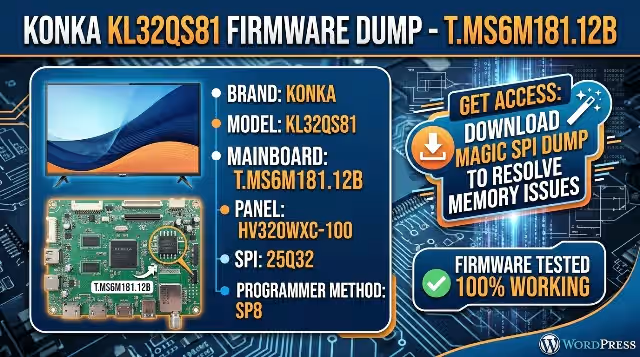
Konka KL32QS81 – SPI Flash Download
Resolve memory IC failures with a verified 25Q32 SPI dump. Tested and confirmed 100% working on actual hardware.
Firmware Specifications
| Brand | Konka |
|---|---|
| Model | KL32QS81 |
| Main Board | T.MS6M181.12B |
| Panel | HV320WXC-100 |
| SPI Flash IC | 25Q32 (W25Q32 – 4 MB) |
| Programmer | SP8 Universal Programmer |
| File Type | BIN (Full SPI Dump) |
| Firmware Status | Tested 100% Working |
Main Board – T.MS6M181.12B
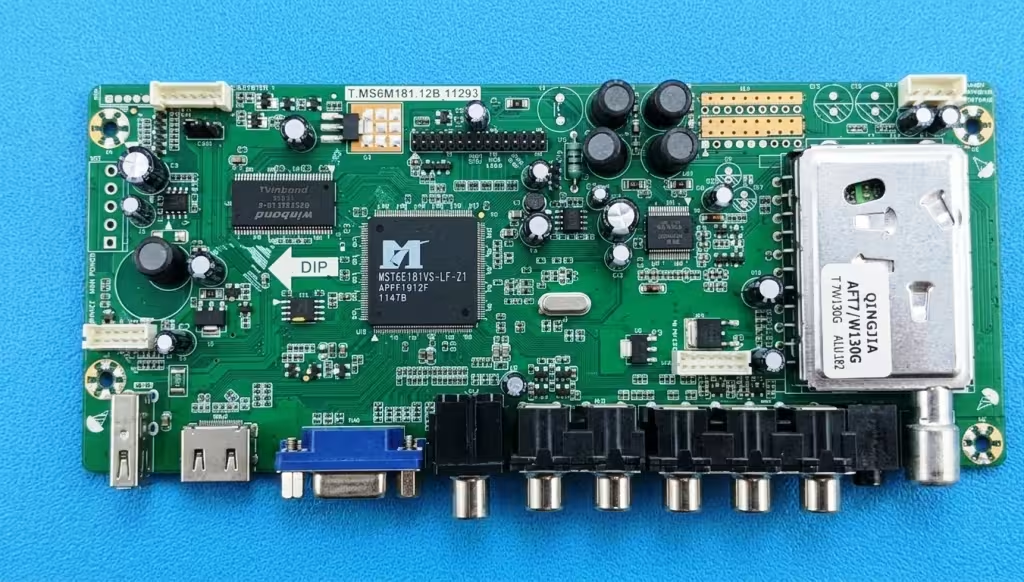
SPI Flash IC Location
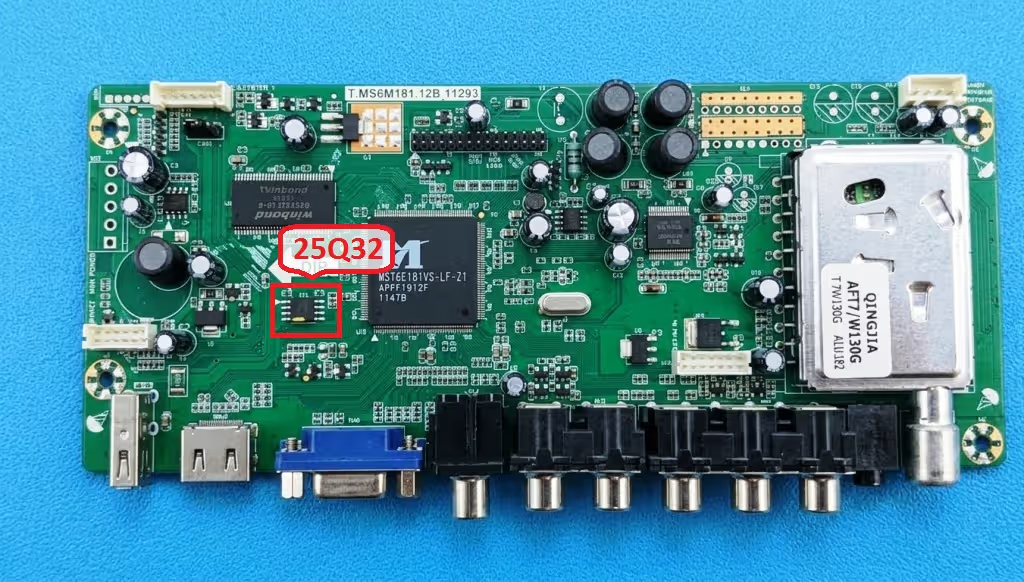
The 25Q32 (W25Q32) SPI flash memory chip is located near the main processor on the T.MS6M181.12B board. This 8-pin SOIC package stores the complete firmware including the bootloader, channel data, and system configuration. When this chip becomes corrupted, the TV will exhibit one or more of the issues listed below.
Common Issues – Konka KL32QS81
The following symptoms indicate a corrupted or failed SPI flash memory on the T.MS6M181.12B main board. This firmware dump resolves these faults:
- TV stuck on Konka logo screen and does not boot further
- Continuous boot loop – TV restarts repeatedly without reaching home screen
- Power LED blinks but no display output – black screen on startup
- TV turns on then shuts off immediately after 2–5 seconds
- No channel storage – all saved channels lost after power cycle
- Audio present but no picture – sound works, screen remains black
- Firmware update via USB fails or gets stuck at 0%
- TV enters standby mode but will not power on with remote or panel button
- Distorted OSD menu, garbled text, or corrupted on-screen graphics
- Dead TV – no LED, no standby after confirming power supply voltages are normal
Diagnostic & Repair Protocol
- Visual Inspection: Inspect the T.MS6M181.12B main board for burned components, bulging capacitors, cracked solder joints, or any physical damage around the SPI flash IC and voltage regulators. Check the HV320WXC-100 panel LVDS connector for secure seating.
- Voltage Verification: Confirm power supply outputs: 5V STB, 12V, and 24V for backlight. Measure 3.3V at the SPI chip VCC pin (pin 8) and verify the main processor core voltages are within specification.
- Desolder SPI Chip: Using a hot air rework station at 320–350°C with moderate airflow, carefully desolder the 25Q32 SPI flash chip from the board. Apply flux generously and use tweezers to lift the chip once all pins are free.
- Backup Original Firmware: Place the desoldered 25Q32 chip into the SP8 programmer ZIF socket adapter (SOP8 to DIP8). Select the correct chip model (W25Q32 / 25Q32) in the SP8 software. Read the current firmware and save it as a backup file.
- Erase the Chip: Perform a full chip erase using the SP8 software. Verify the erase operation completed successfully by reading back and confirming all bytes are 0xFF.
- Write New Firmware: Load the downloaded T.MS6M181.12B firmware dump file into the SP8 software. Write the file to the 25Q32 chip. After writing, perform an automatic verify operation to confirm data integrity matches 100%.
- Resolder and Test: Apply fresh solder paste to the PCB pads. Align the 25Q32 chip observing correct pin 1 orientation (dot marker). Resolder using hot air at 320°C. Clean flux residue with IPA. Reconnect all cables and power on the TV to verify normal operation.
- Post-Flash Calibration: After successful boot, perform a factory reset from the service menu if needed. Re-scan channels, adjust picture settings for the HV320WXC-100 panel, and verify all inputs (HDMI, AV, USB) function correctly.
Download T.MS6M181.12B Firmware Dump
Konka KL32QS81 – 25Q32 SPI Flash – Full Tested Dump File
Click “Unlock Download” first, then the direct download button will appear. File is a verified BIN dump ready for SP8 programmer.