Firmware Overview
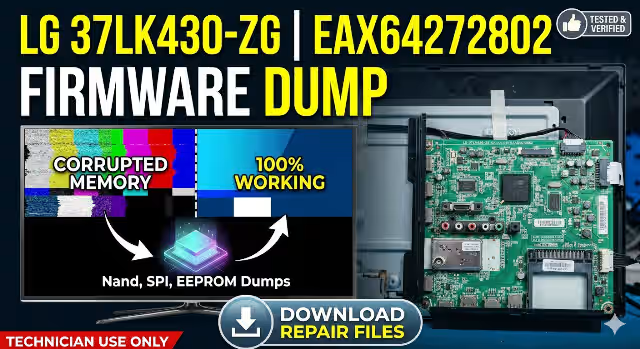
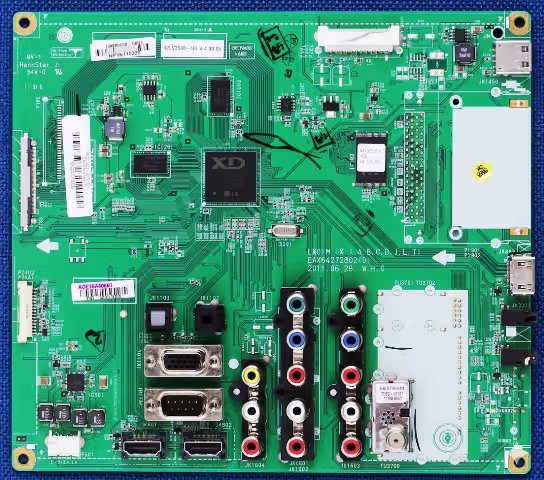
This page provides a complete, tested firmware dump package for the LG 37LK430-ZG television main board EAX64272802. The package includes binary files for the NAND flash, SPI flash, and EEPROM memory ICs. All dumps were extracted and verified using the RT809H universal programmer and are confirmed 100% working for board-level memory repair.
Board & IC Specifications
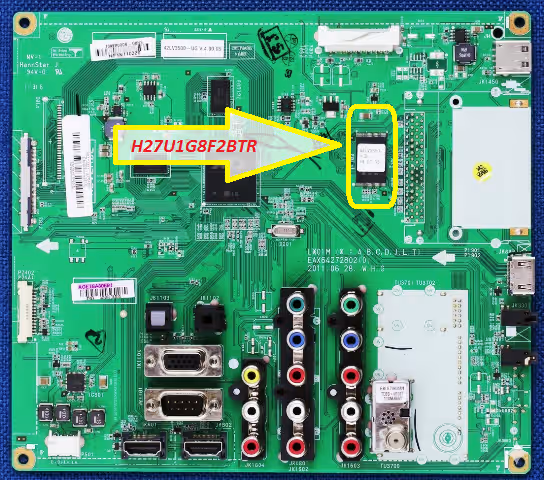
NAND Flash – H27U1G8F2BTR
The NAND memory IC102 (H27U1G8F2BTR) stores the main operating system and application firmware for the LG 37LK430-ZG. Corruption in this chip is the most common cause of boot failure, stuck logo, and software-related faults on this model.
SPI Flash & EEPROM
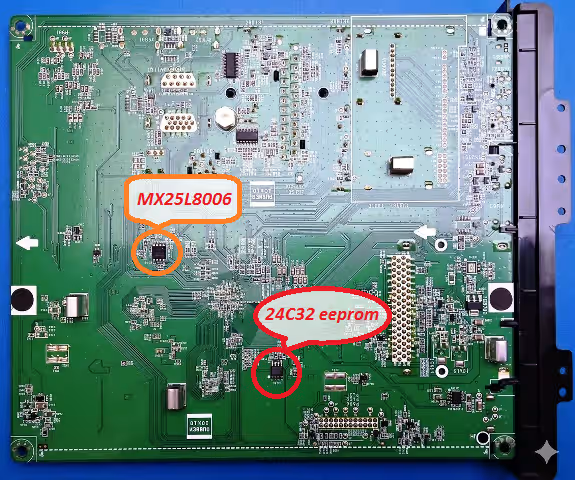
The SPI flash IC1401 (MXL25L8006E) holds the boot loader and initialization data. The EEPROM IC104 (24C32) stores user settings, service menu configurations, and panel calibration parameters. Both must be correctly programmed for full board functionality.
Common Issues – LG 37LK430-ZG
- TV stuck on LG logo and does not boot to home screen
- Continuous reboot loop – powers on then restarts repeatedly
- No picture, backlight on, no OSD menu response
- Dead set – standby LED on but no startup sequence
- Main board powers up but panel displays no image (blank screen)
- Software corruption after power surge or unstable mains supply
- Service menu inaccessible or factory reset fails to resolve fault
- NAND read errors or bad blocks detected during diagnostic scan
- EEPROM data corruption causing incorrect panel voltage or settings
- SPI boot loader damaged – board fails POST (Power-On Self-Test)
Diagnostic & Repair Protocol
- Visual Inspection: Examine the EAX64272802 main board for burnt components, swollen capacitors, cracked solder joints, and physical damage before attempting firmware repair.
- Power Rail Verification: Using a multimeter, confirm all voltage rails (3.3V, 1.8V, 1.2V, 5V standby) are within specification. Do not proceed if any rail is missing or abnormal.
- IC Identification: Verify the NAND (H27U1G8F2BTR at IC102), SPI (MXL25L8006E at IC1401), and EEPROM (24C32 at IC104) match the markings listed above. Incorrect IC match will result in a non-functional board.
- Desolder Memory ICs: Carefully remove the target IC from the main board using a hot air rework station at the recommended temperature profile for each package type.
- Read Original Dump: Place the removed IC in the RT809H programmer with the correct adapter. Read the existing firmware and save as a backup before writing.
- Write New Firmware: Load the corresponding dump file from this page into the RT809H software. Write the file to the IC and perform a verify pass to ensure data integrity.
- Resolder IC: Reattach the programmed IC to the main board. Inspect solder joints under magnification for bridges or cold joints.
- Functional Test: Reconnect all board cables, apply power, and verify the TV boots correctly through to the home screen. Test all inputs, OSD menu, and remote control functions.
Video Repair Guide
Download Firmware Files
EAX64272802 – Firmware Dump Files
H27U1G8F2BTR • MXL25L8006E • IC1401 • Verified for RT809H
Click once to verify, then click again to download the file.