
Overview
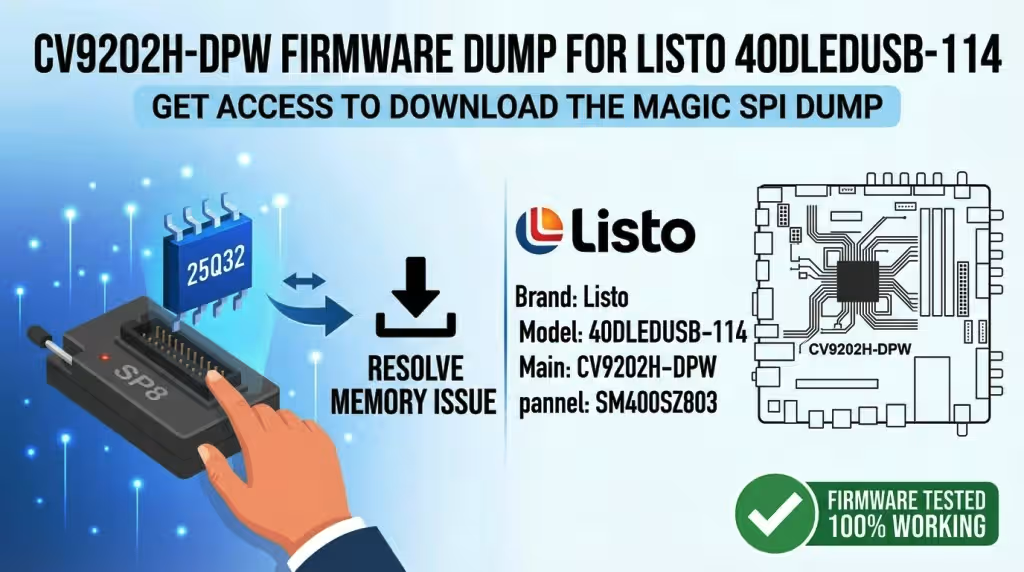
This professional firmware resource provides a fully tested SPI memory dump for the Listo 40DLEDUSB-114 television equipped with the CV9202H-DPW main board. The dump targets the 25Q32 SPI flash memory chip and has been programmed and verified using the SP8 programmer. This file is intended exclusively for qualified electronics technicians performing board-level TV repair.
If your Listo 40DLEDUSB-114 unit exhibits boot failure, stuck logo, no display output, corrupted firmware, or any memory-related malfunction, this dump is engineered to restore full operational functionality to the mainboard.
Hardware Specifications
| Brand | Listo |
|---|---|
| Model | 40DLEDUSB-114 |
| Main Board | CV9202H-DPW |
| Panel | SM400SZ803 |
| SPI Flash Memory | 25Q32 (32 Mbit / 4 MB) |
| Programmer Method | SP8 Programmer |
| Firmware Status | Tested 100% Working |
| File Type | BIN (SPI Dump) |
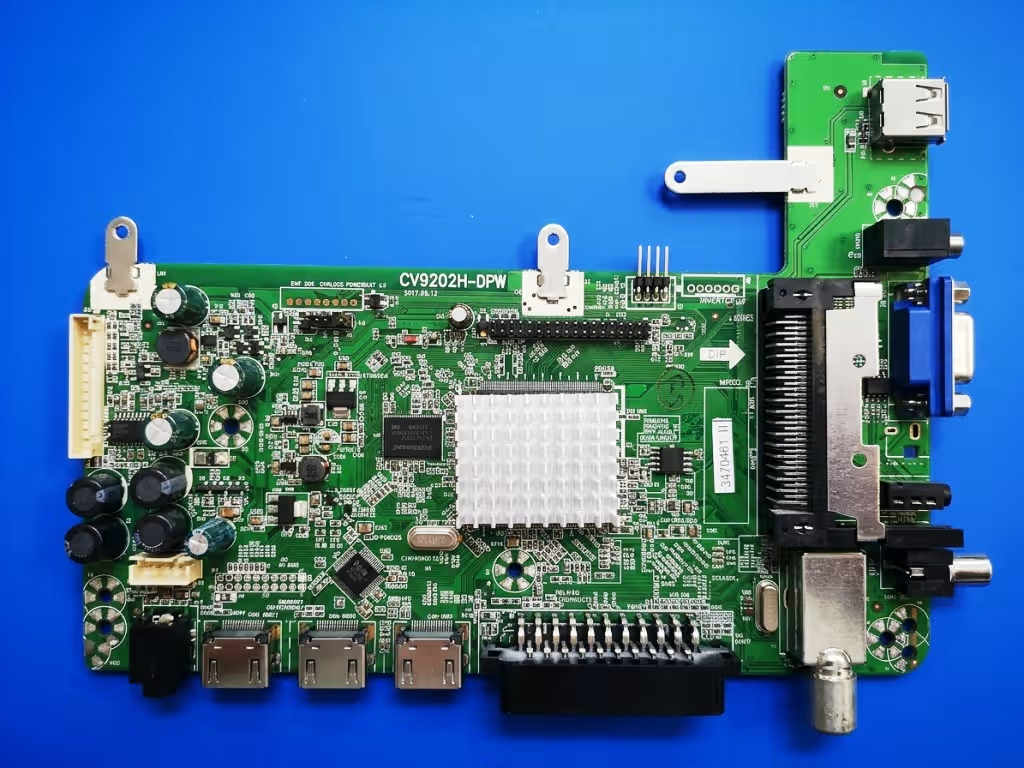
Mainboard Reference Image
Use the image below to identify and confirm the CV9202H-DPW mainboard before proceeding with the firmware flash procedure. Click the image to zoom in a new tab.
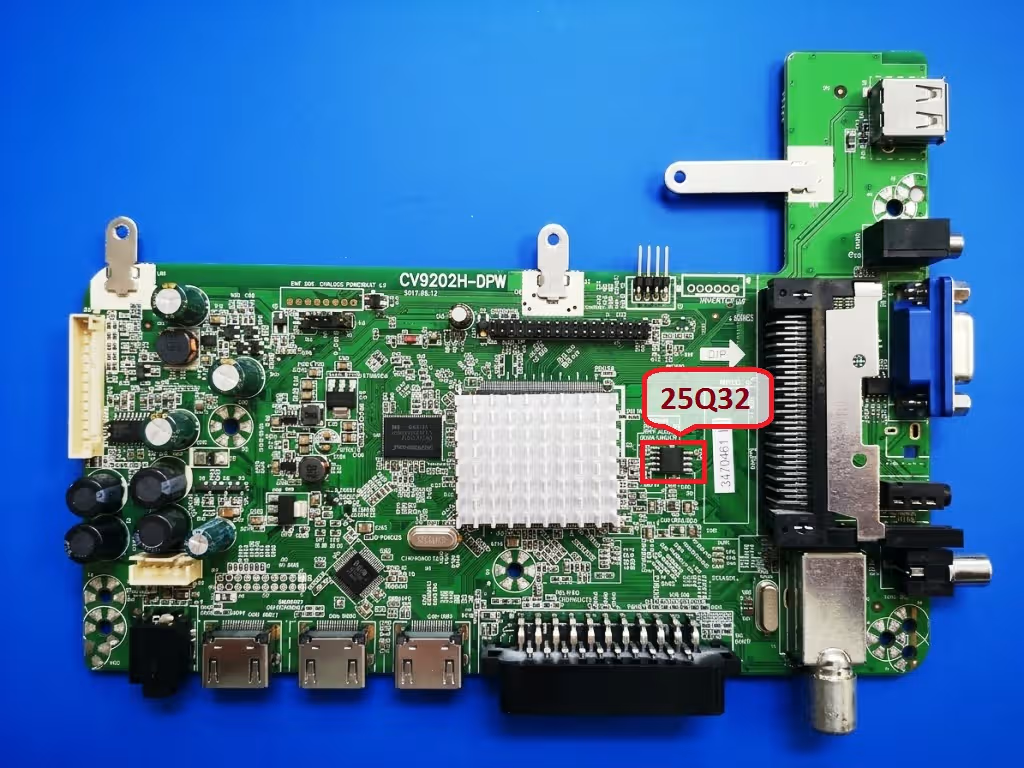
SPI Memory Chip Location
Locate the 25Q32 SPI flash IC on the CV9202H-DPW board. The chip is typically positioned near the main processor. Refer to the image below for the exact placement. Click to zoom in a new tab.
Common Issues – Listo 40DLEDUSB-114 (CV9202H-DPW)
The following symptoms indicate corrupted or damaged SPI firmware on this model. If your unit presents any of these issues, a fresh firmware dump flash is the recommended repair path:
- Dead TV – No Power Response: The unit does not react to power button or remote. Standby LED remains off despite confirmed good power supply output.
- Stuck on Boot Logo: The Listo logo appears on screen but the TV never progresses to the home screen or input source. Infinite boot loop detected.
- Backlight On, No Image: The backlight activates (screen glows) but no OSD, logo, or picture is displayed. Audio may or may not be present.
- Automatic Restart Loop: The TV powers on, briefly shows a picture or logo, then shuts off and restarts repeatedly without user input.
- No Audio Output: The display works but all audio channels produce no sound. Volume OSD functions but no signal reaches the speaker amplifier.
- Corrupted OSD / Menu Glitches: On-screen display shows garbled text, distorted icons, missing menu items, or the menu fails to open entirely.
- HDMI / USB Ports Not Recognized: External devices connected via HDMI or USB are not detected. No signal message despite functional source devices.
- Channel Scan Failure: Auto-tuning finds zero channels or crashes mid-scan. The tuner module receives signal but firmware cannot process channel data.
- Firmware Update Failure Recovery: A previous OTA or USB firmware update was interrupted or failed, leaving the SPI flash in a partially written or corrupted state.
- Standby LED Blinks but TV Does Not Start: The standby indicator blinks in a pattern but the mainboard fails to fully initialize. Indicates SPI read error during boot sequence.
Diagnostic and Repair Protocol
Follow this systematic diagnostic and repair procedure before and after flashing the SPI dump. Each step is critical to ensure a successful and lasting repair.
Pre-Flash Diagnostics
SPI Flash Programming Procedure
Post-Flash Testing
Download SPI Firmware Dump
CV9202H-DPW | Listo 40DLEDUSB-114 | SPI 25Q32 | SP8 Programmer
Memory: 25Q32 (4 MB)
Programmer: SP8
Status: Tested and Verified
Programming Notes for Technicians
- Ensure your SP8 programmer firmware is updated to the latest version for reliable 25Q32 chip communication.
- Use a quality SOP8 test clip or desolder the chip for best results. In-circuit programming may fail due to interference from surrounding components on the CV9202H-DPW board.
- If the original 25Q32 chip is damaged beyond recovery (failed erase, write, or verify), replace it with a new W25Q32FVSIG or equivalent 32 Mbit SPI flash IC.
- After successful flash and boot, perform a factory reset from the service menu to initialize all parameters correctly for the SM400SZ803 panel.
- Keep a copy of this tested dump archived in your technician library for future repairs of the same model.