

Firmware Overview
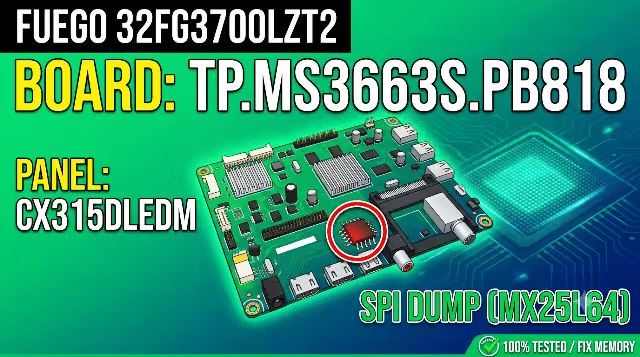
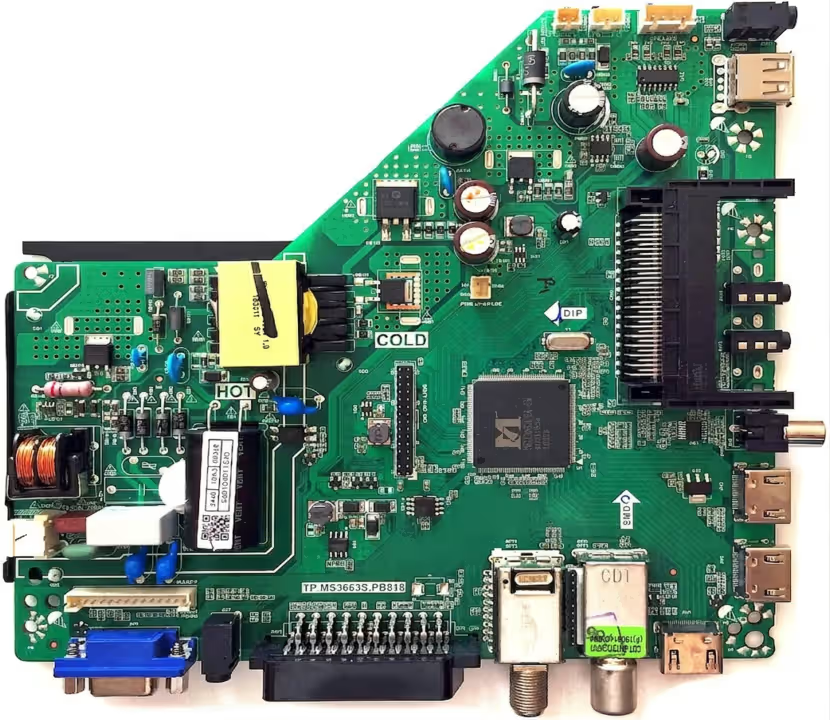
This page provides a professionally tested SPI firmware dump for the FUEGO 32FG3700LZT2 television equipped with the TP.MS3663S.PB818 main board. The dump file targets the MX25L64 flash memory and is designed to resolve critical memory corruption issues that cause boot failures, stuck logos, and dead-set conditions.
This firmware has been extracted, cleaned, and verified using the RT809H universal programmer. It is intended exclusively for qualified TV repair technicians who possess the necessary tools and soldering expertise to perform SPI-level memory operations.
Technical Specifications
| Brand | FUEGO |
| Model | 32FG3700LZT2 |
| Main Board | TP.MS3663S.PB818 |
| Panel Type | CX315DLEDM |
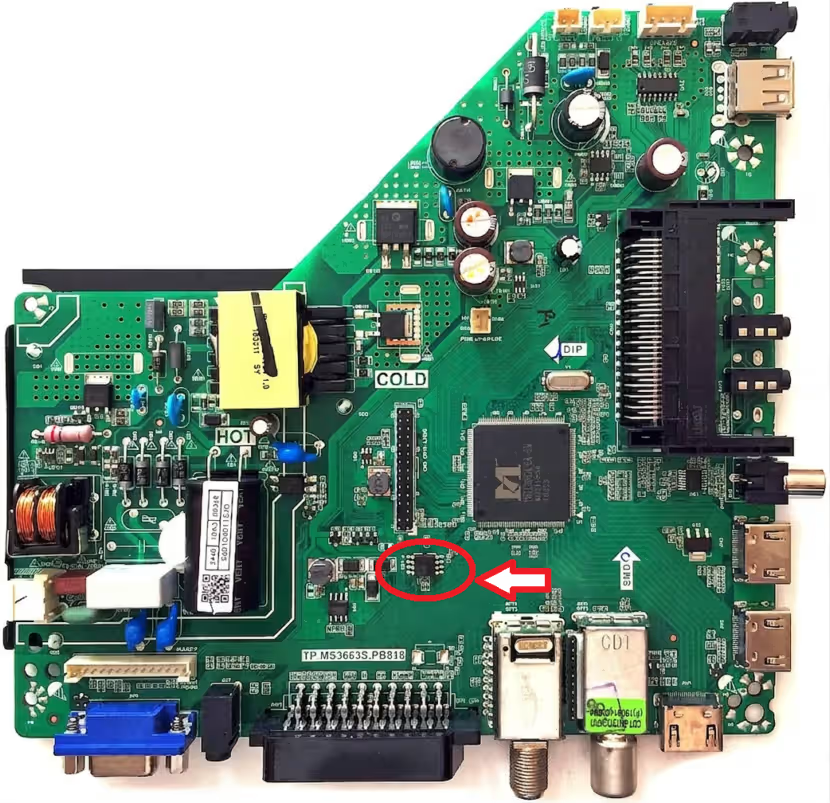
| SPI Flash Memory | MX25L64 (64Mbit / 8MB) |
| Programmer Method | RT809H Universal Programmer |
| Firmware Status | 100% Tested & Working |
| Dump Type | Full SPI Flash Dump (BIN) |
| Screen Size | 32 Inch LED |
| Resolution | HD Ready (1366 x 768) |
Board & SPI Chip Reference
Known Issues This Firmware Resolves
The following symptoms on the FUEGO 32FG3700LZT2 indicate corrupted SPI flash memory that can be repaired with this dump file:
- TV stuck on FUEGO logo during boot and does not proceed further
- Completely dead television with no standby LED response after power surge
- Continuous restart loop — TV powers on, shows logo, then reboots endlessly
- Backlight turns on but screen remains completely black with no OSD display
- Audio output works normally but no video or picture appears on screen
- TV freezes randomly during operation and requires hard power reset
- No signal detected on any input source (HDMI, AV, USB, antenna)
- Corrupted EEPROM or NAND data causing channel scan failure
- OSD menu language reset to Chinese or unknown language after power loss
- Remote control becomes unresponsive — TV does not react to any key press
Diagnostic & Repair Protocol
Follow this systematic repair protocol to diagnose the memory fault and flash the corrected firmware onto the TP.MS3663S.PB818 main board:
- Visual Board Inspection: Examine the TP.MS3663S.PB818 main board thoroughly for physical damage including burned components, swollen electrolytic capacitors, broken solder joints, or corrosion from liquid exposure.
- Power Supply Verification: Measure all power rail voltages using a multimeter. Confirm 5V standby, 12V main, and 3.3V logic supply are within acceptable tolerance before proceeding with memory operations.
- Desolder SPI Flash Chip: Using a hot air rework station set to 350 degrees Celsius with medium airflow, carefully desolder the MX25L64 SPI flash chip from the main board. Apply flux generously to prevent pad damage.
- Read Original Memory Backup: Place the desoldered MX25L64 chip into the RT809H programmer ZIF socket or SOP8 adapter clip. Read the current flash contents and save as a backup file before writing new data.
- Erase and Write New Firmware: Perform a full chip erase on the MX25L64, then load the downloaded TP.MS3663S.PB818 firmware dump file. Execute the write operation and wait for completion without interruption.
- Verify Written Data: Use the RT809H verify function to compare the written data against the source file byte-by-byte. The verification must show zero errors before proceeding.
- Resolder SPI Chip: Carefully resolder the MX25L64 chip back onto the TP.MS3663S.PB818 main board. Inspect all eight pins under magnification to confirm clean solder joints with no bridges.
- Functional Testing: Reconnect the panel flat cable (CX315DLEDM), backlight connector, and power supply. Power on the television and verify boot sequence, OSD menu access, all input sources, audio output, and remote control functionality.
Video Repair Tutorial
Watch the complete step-by-step firmware flashing guide for the TP.MS3663S.PB818 main board. This tutorial demonstrates the full process from chip removal to final testing:
Download Firmware Dump
TP.MS3663S.PB818 – MX25L64 SPI Flash Dump for FUEGO 32FG3700LZT2
Click Step 1 first to unlock the download link
Share This Firmware
Help other technicians find this repair solution
hello bro