

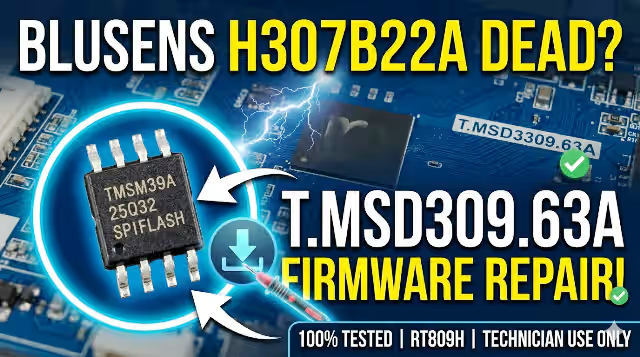
T.MSD309.63A Firmware Dump for Blusens H307B22A – Fix It Now!
If you’re having problems with your Blusens H307B22A running the T.MSD309.B63A main board, a firmware dump can be a lifesaver. It’s a verified copy of the software that controls your device and can be used to restore it to its original state or update it to a newer version. This firmware update is designed to repair memory issues and restore your TV to proper functioning.
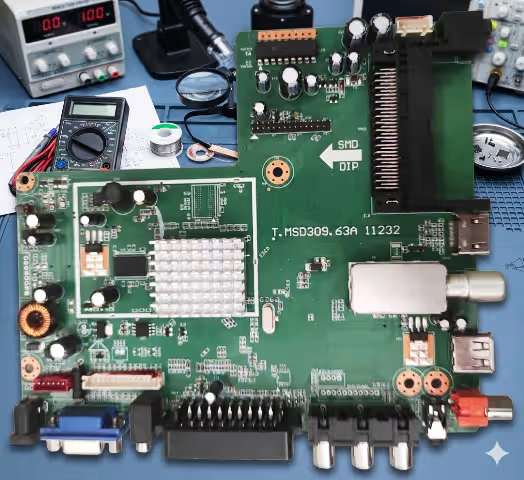
T.MSD309.63A Main Board – Blusens H307B22A
Firmware Specifications
| Brand | Blusens |
|---|---|
| Model | H307B22A |
| Main Board | T.MSD309.63A |
| Panel | M215HGE-L10 |
| SPI Flash | 25Q32 |
| Programmer | RT809H |
| Status | Tested 100% Working |
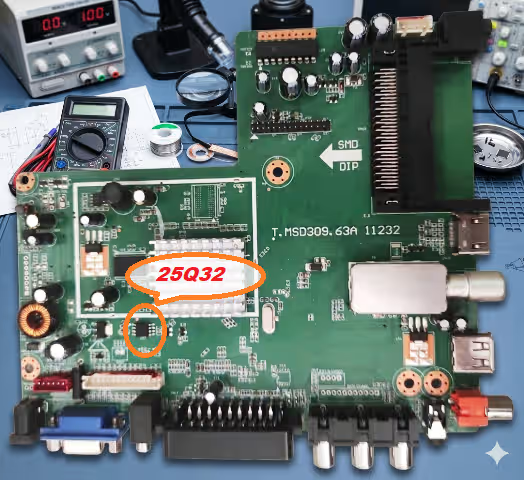
SPI Flash 25Q32 – Chip Location on T.MSD309.63A Board
Common Issues for This Model
The following symptoms indicate your Blusens H307B22A may require a firmware dump reflash using the RT809H programmer:
- TV stuck on boot logo or startup loop (endless reboot)
- No picture – backlight is ON but screen remains black
- Main board does not respond to remote control or buttons
- Distorted OSD menu, garbled text, or corrupted interface
- TV powers ON briefly then shuts OFF immediately
- HDMI, USB, or AV inputs not detected or not switching
- Audio output present but no video signal on screen
- Firmware update failure – TV bricked after software flash
- EEPROM or SPI Flash data corruption from power surge
- TV freezes randomly during operation or channel surfing
Diagnostic & Repair Protocol
Follow this step-by-step protocol to properly diagnose and repair the T.MSD309.63A board:
- Visual Inspection: Check the main board for burnt components, swollen capacitors, cracked solder joints, or damaged traces around the SPI flash area.
- Power Supply Verification: Measure all output voltages from the PSU board. Confirm 5V, 12V, and 3.3V rails are stable and within ±5% tolerance.
- SPI Flash Identification: Locate the 25Q32 SPI flash chip on the board. Verify the chip marking matches before proceeding with read/write operations.
- Backup Original Dump: Using the RT809H programmer, read and save the original flash content before writing. Always keep a backup copy for reference.
- Write Firmware Dump: Erase the SPI flash chip completely, then write the verified firmware dump file. Use the RT809H software with auto-verify enabled.
- Verify Written Data: After writing, perform a full verify operation comparing the chip content against the source file. Ensure 100% match with zero errors.
- Reassemble & Test: Reinstall the main board, reconnect all cables, and power ON. Verify boot sequence, OSD menu, all inputs (HDMI/AV/USB), audio output, and remote control functionality.
- Final Validation: Let the TV run for 15–30 minutes to confirm stability. Test channel tuning, volume control, and picture settings to ensure full functionality.
Video Tutorial
Watch the complete repair walkthrough for the T.MSD309.63A firmware flashing process:
Download Firmware Dump
Verified firmware dump for T.MSD309.63A – Blusens H307B22A
SPI Flash: 25Q32 | Programmer: RT809H
Step 1: Click to unlock → Step 2: Download firmware file


