

Download KIVI 55U600 Firmware Dump (HK.T.RT2861V09)
Professional eMMC repair solution for fixing bootloop, no display, and Android system crashes. If your KIVI 55U600 4K Android TV is stuck on logo or not responding, direct eMMC programming is required.
Common Problems Fixed by This Firmware:
- TV turns ON but no display
- Stuck on Android boot logo
- Remote control not working
- System freezing or crashing
- Reboot loop / dead system
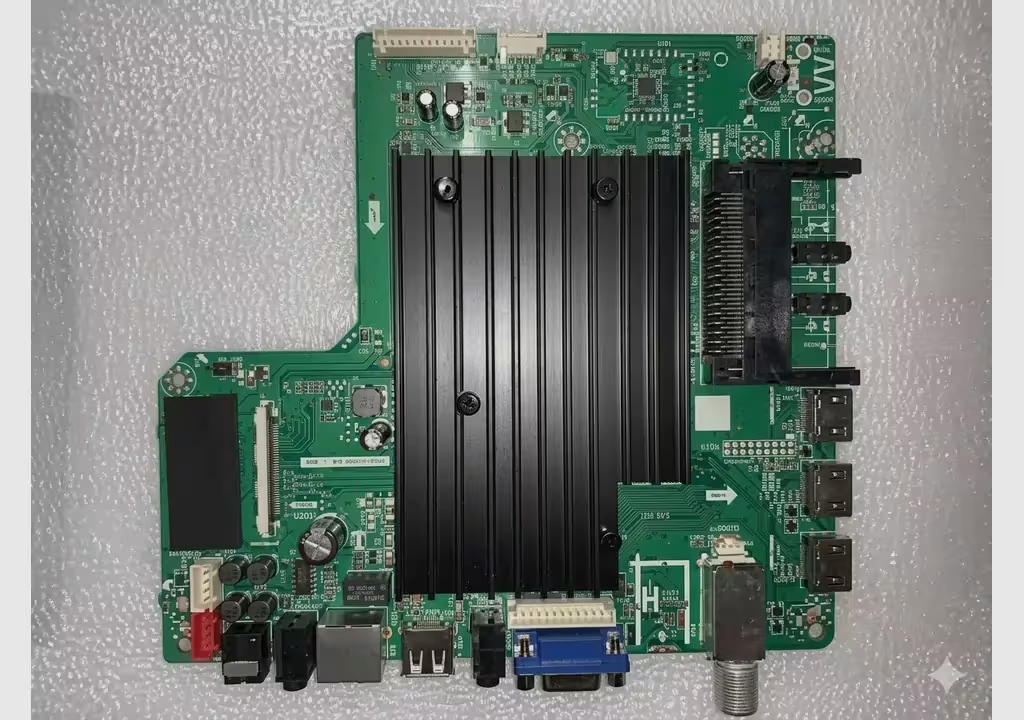
[Main Board: HK.T.RT2861V09 – Click to Zoom]
Technical Specifications
| Brand | KIVI |
|---|---|
| Model | 55U600 |
| Display | 55” UHD (3840×2160) |
| Main Board | HK.T.RT2861V09 |
| OS | Android Smart TV |
| Memory Type | eMMC |
| Tool | RT809H Programmer |
RT809H Programming Tutorial
eMMC Pinout Diagram
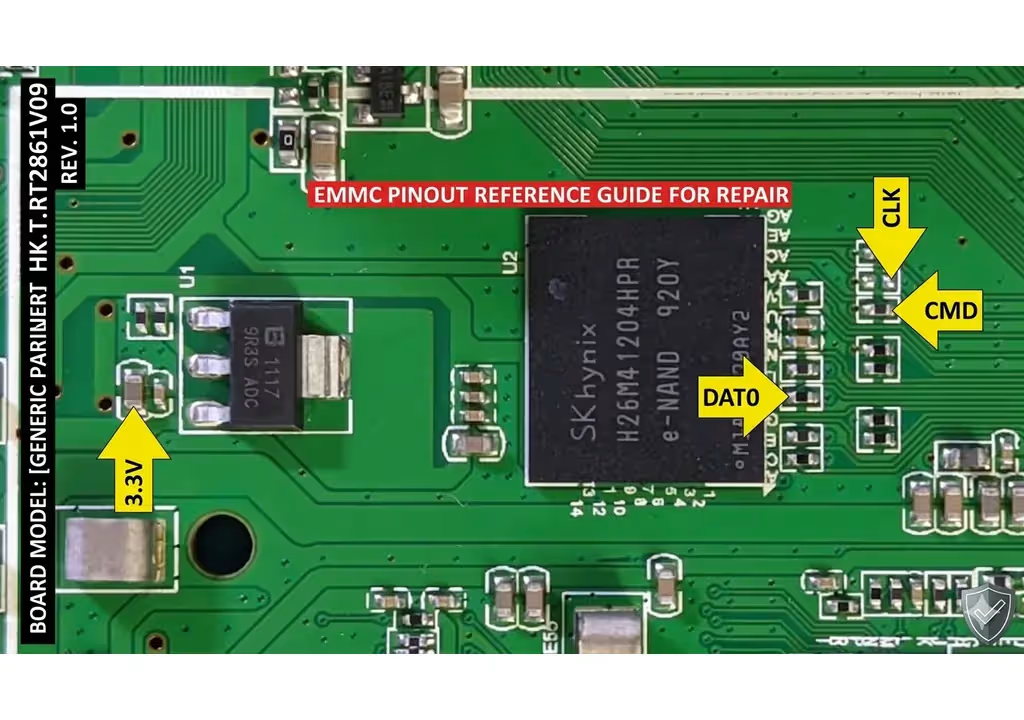
[ISP Pinout for HK.T.RT2861V09 – Click to Zoom]
How to Flash eMMC (Step-by-Step)
- Connect eMMC: Using BGA153/BGA169 adapter or direct wiring.
- Open Software: Launch RT809H software on your PC.
- Select Model: Choose the correct eMMC chip model.
- Load File: Select the downloaded .BIN firmware.
- Flash: Click WRITE and wait for verification.
Download Firmware Dump
File Size: ~1GB | Format: .BIN
1st click opens verify link, 2nd click starts download.
Frequently Asked Questions
Can I use this firmware on another KIVI model?
No, this firmware is strictly for KIVI 55U600 with HK.T.RT2861V09 mainboard.
Is it safe to flash without removing eMMC?
It is possible but not recommended. Removing the chip ensures stable programming.


