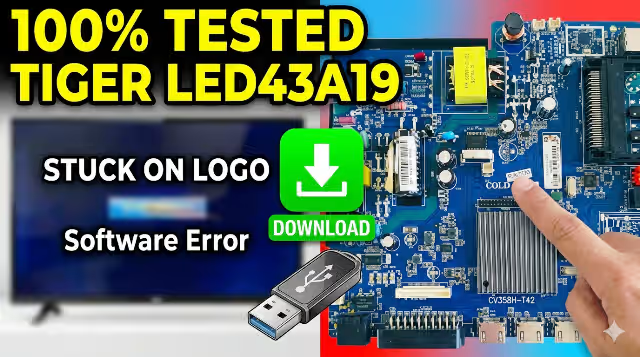
🔧 TECHNICIAN USE ONLY · MEMORY TV USB REPAIR
CV358H_T42 Firmware Dump
TIGER LED43A19 · MSD6A358BT · USB Recovery
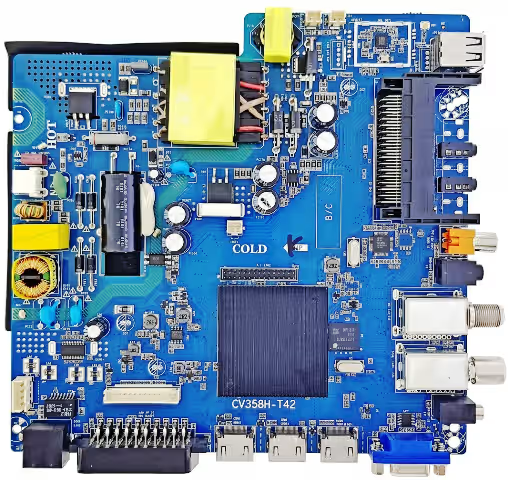
📸 CV358H_T42 Main Board (TIGER LED43A19) — eMMC & SPI location
⚙️ Technical Specifications
| Component | Specification / Value |
|---|---|
| Main Chip | MSD6A358BT (MStar) |
| RAM | 512MB / 1GB (DDR3) |
| Storage (eMMC) | 4GB / 8GB |
| Backlight Voltage | 45V – 94V (Variable, PWM controlled) |
| Resolution Support | Up to 1920 x 1080 (Full HD) |
| Panel / Model | TIGER LED43A19 (CV358H_T42) |
📥 Firmware Update via USB – Step‑by‑Step
- Transfer the file to the ROOT of a FAT32 USB disk (max 16GB).
- Rename the firmware file exactly to: CtvUpgrade.bin
- Insert USB into main board port (usually black 2.0).
- Keep pressing the Standby / Power button (on remote or keyboard).
- Power on the board (AC) while holding the button.
- Wait until the red standby LED starts flashing — upgrade in progress.
- After 3–6 minutes, TV will reboot automatically.
🛠️ SERVICE MODE ACCESS:
MENU + 1 1 4 7
Press MENU then quickly 1 1 4 7 on remote. Use for panel settings, backlight adjustment, and factory reset.
🔐 2‑Step Technician Download
✅ Firmware tested 100% working — for CV358H_T42 / TIGER LED43A19.
📁 File:
⚠️ Technician use only. Improper flash may brick board — follow protocol.
📁 File:
CtvUpgrade.bin (rename after download if needed)⚠️ Technician use only. Improper flash may brick board — follow protocol.
🩺 Diagnostic & Repair Protocol
Common issues with this model: Stuck on logo, boot loop, no backlight, or HDMI no signal.
➤ First try USB recovery with “CtvUpgrade.bin”. If red LED doesn’t flash, check USB format / try another port.
➤ If service mode accessible (MENU+4711), perform “Factory reset” & “Clear storage”.
➤ Backlight voltage: measure at LED connector (45–94V). If missing, check boost circuit / LED driver.
➤ eMMC corruption: reflow or replace eMMC (4GB/8GB). This dump works on both variants.
📺 Visual Guide – CV358H_T42 USB Flashing
📤 Share this resource
🔗 More technician resources:
Firmware Library ·
TVTech Online – professional repair database.