

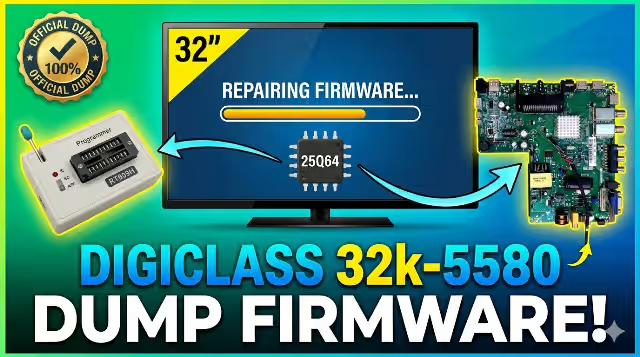
DIGICLASS 32k-5580 Tp.s512.pb818 Firmware Dump
SPI Flash Memory Recovery — For Certified Technicians Only
Main Board Reference
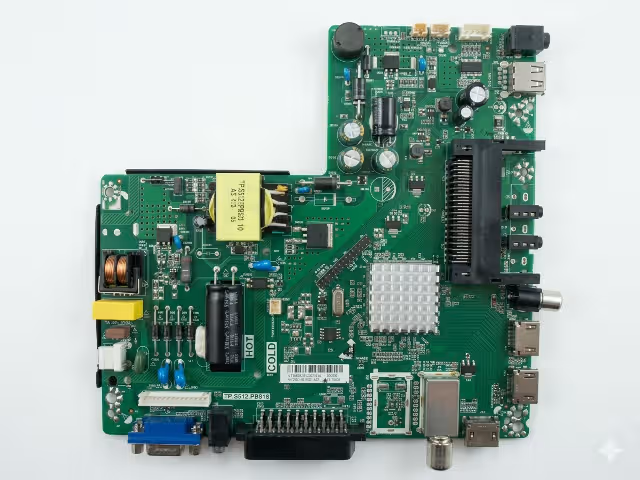
- Model: Tp.s512.pb818
- Panel: CX315DLEM
- Memory IC: 25Q64 (8MB)
- Programmer: RT809H Compatible
- Status: ✅ 100% Tested Working
SPI Flash Pinout & Location
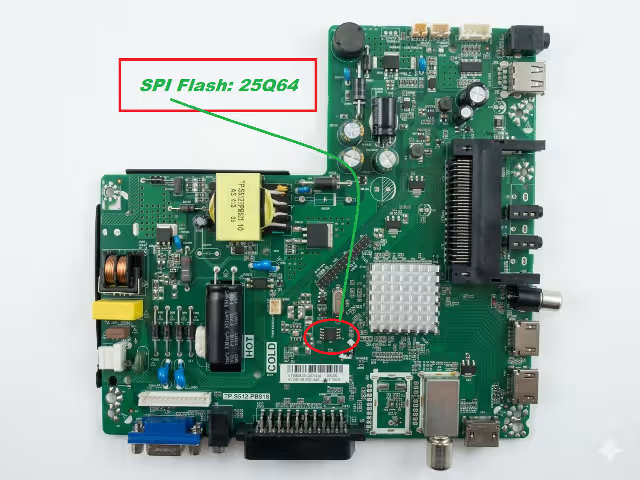
- Chip: Winbond 25Q64FV
- Voltage: 3.3V
- Protocol: SPI (4-Wire)
- Read Method: SOIC-8 Clip Recommended
- Write Protection: Disable WP Pin Before Flashing
ⓘ First click opens sponsor ad in new tab. Second click starts real download.
🛠️ Diagnostic & Repair Protocol
- Power Diagnosis: Confirm standby voltage (3.3V/5V) at SPI chip before attempting read/write.
- Clip Connection: Use SOIC-8 test clip. Ensure pins 1-8 aligned correctly. Double-check continuity.
- Read Original: Always read and save original dump before flashing. Verify checksum.
- Write Enable: In RT809H software, disable Write Protection via “WP” pin control or software command.
- Erase → Program → Verify: Full chip erase → Load .bin file → Write → VERIFY CHECKSUM. Never skip verify.
- Post-Flash Test: Reconnect board, power on without panel first. Check LED blink codes or backlight trigger.
- Failure Handling: If TV dead after flash: re-read chip, compare against original backup. Reflash if mismatched.


