

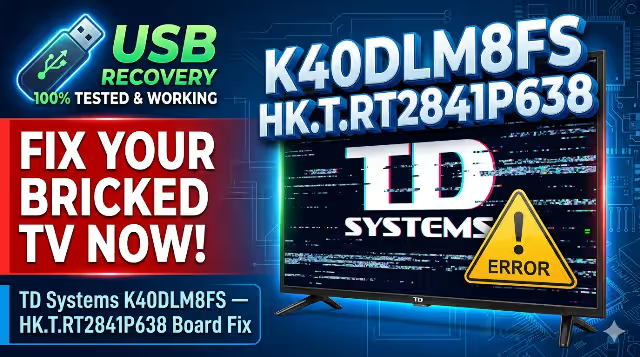
TD Systems K40DLM8FS Firmware USB Recovery Download for HK.T.RT2841P638
Download the USB firmware update and memory dump repair software for TD Systems K40DLM8FS with HK.T.RT2841P638 main board. This file is useful for TV software recovery, stuck logo repair, restart loop fixes, and USB upgrade restoration.
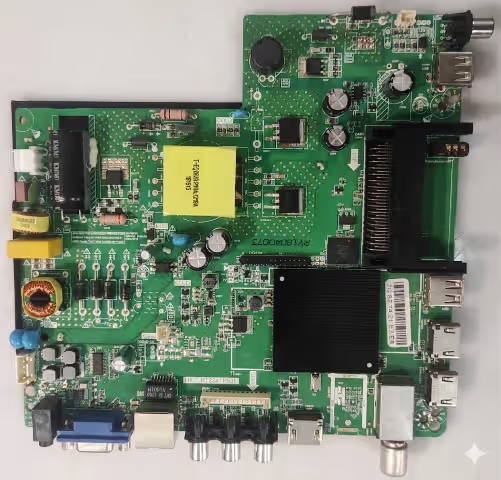
Table of Contents
TD Systems K40DLM8FS Firmware Download
If your TV is not starting properly, stuck on logo, restarting automatically, or has software corruption, use this USB recovery firmware for the HK.T.RT2841P638 main board. The file is prepared for easy installation using a FAT32 USB flash drive.
2-Step Secure Download
Click the button below. An ad page opens in a new tab first. After 7 seconds, your real download link opens automatically in another new tab.
Firmware Details
| TV Brand | TD Systems |
|---|---|
| Model | K40DLM8FS |
| Main Board | HK.T.RT2841P638 |
| Firmware Type | USB Recovery / Software Upgrade |
| File Name | install.img |
| USB Format | FAT32 |
| Status | Firmware tested 100% working |
This post is optimized for technicians and end users searching for: memory tv firmware dump repair download, TD Systems K40DLM8FS software file, HK.T.RT2841P638 usb update, and TV dead by software fix.
Common Issues for TD Systems K40DLM8FS
This firmware can help solve software-related faults frequently found on this model:
- TV stuck on TD Systems logo
- Boot loop or continuous restart problem
- No display after software corruption
- TV freezes on startup screen
- Remote works but system does not boot fully
- Settings not saving or memory issue
- Software update failed previously
- No channel memory after reset
- Black screen caused by firmware corruption
- Dead standby caused by damaged software section
Software Upgrade by USB
Follow these steps carefully to install the firmware on your TV:
- Download the firmware archive file.
- Extract the WinRAR archive.
- Copy install.img to the root of the USB drive.
- Format the USB drive in FAT32.
- Do not place the file inside any folder.
- Make sure the TV power plug is disconnected from the AC socket.
- Insert the USB drive into the TV USB port.
- Connect the TV back to the AC power socket.
- The upgrade process should start automatically.
- Wait until the process completes fully.
- Do not switch off the TV, unplug the power, or remove the USB during installation.
Video Tutorial
Why Use the Correct HK.T.RT2841P638 Firmware?
Installing the correct firmware is important because many TVs may look similar while using different panel data, tuner settings, and motherboard configurations. The wrong file may cause inverted picture, no backlight control, no sound, or no startup. This post is specifically created for TD Systems K40DLM8FS USB firmware update with the exact main board number HK.T.RT2841P638.
Frequently Asked Questions
Can this firmware fix stuck logo problem?
Yes, this file is commonly used to repair stuck logo and boot loop issues caused by corrupted software.
What is the required USB file name?
The required firmware file name is install.img and it must be placed in the root of the FAT32 USB drive.
What if the TV does not detect the USB?
Try another USB drive, format it again in FAT32, copy only the install.img file, and make sure power is disconnected before inserting the USB.
Is this firmware a dump repair file?
Yes, it can be used as a memory TV firmware dump repair download for software recovery cases on this supported board.


